What this guide helps you build
If your team already runs lifecycle workflows in HubSpot or Salesforce, direct mail should be triggered from the same records your sales and customer teams already use.
The CRM knows when a prospect completes a demo, an opportunity stalls, a deal closes won, a renewal window opens, an event attendee becomes qualified, or a QR scan shows offline intent. Scribeless lets those records create handwritten mail through two native patterns:
- automated workflows that send when the record matches your rules
- one-off sends that let a rep, CSM, or marketer trigger a specific mailer from the CRM record
The best use cases are the moments where timing, relationship context, or trust make a physical note worth the extra effort.
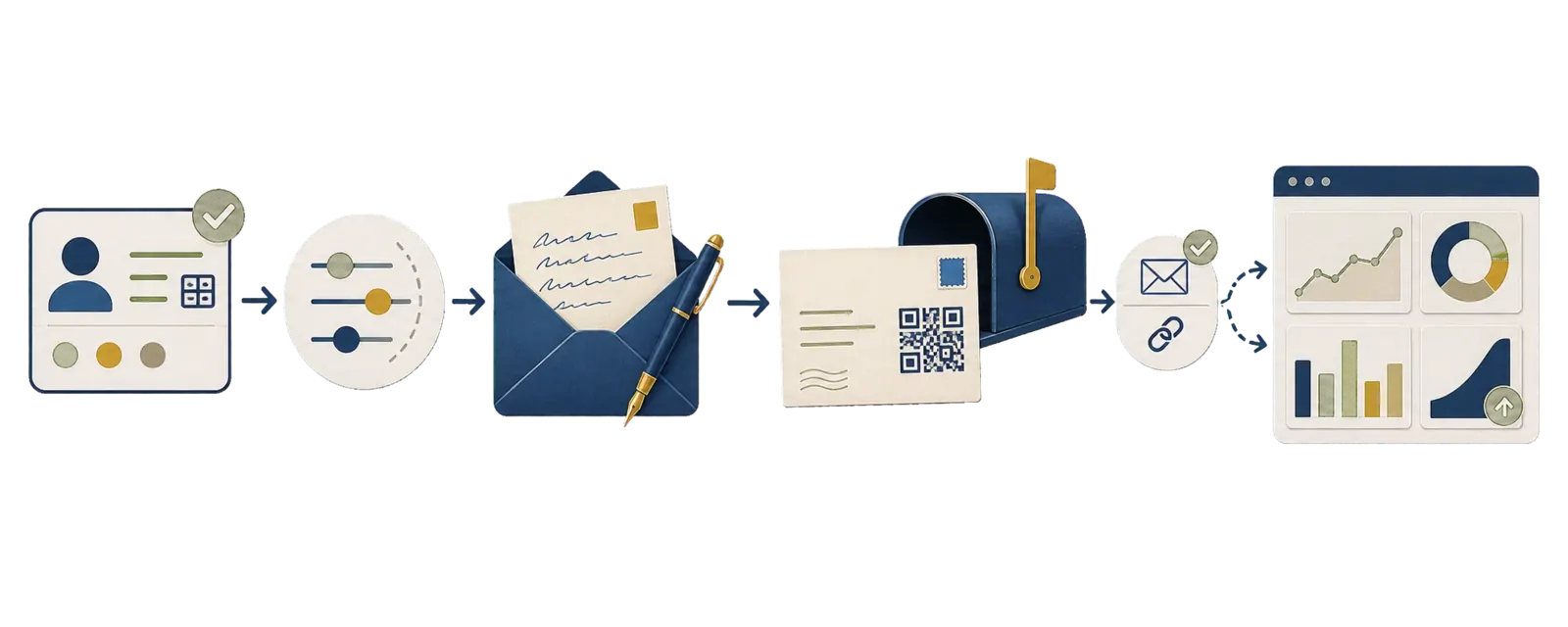
Use the HubSpot integration guide and Salesforce integration guide for product setup. This article covers trigger choice, field model, suppression, owner follow-up, tracking, and how to decide when automation should hand off to a human.
For platform-specific recipes, use the HubSpot direct mail automation guide and Salesforce direct mail automation guide.
Quick-start CRM recipes
Use these as first builds before adding more segments or edge cases.
| Use case | Trigger | Eligibility | Mailer | Follow-up |
|---|---|---|---|---|
| Post-demo follow-up | Meeting outcome becomes completed | Tier 1 or Tier 2 account, valid address, not mailed in 30 days | AE note with one meeting detail | Owner task after delivery |
| Stalled opportunity | Opportunity stays in stage beyond threshold | Strategic account, primary contact, active opportunity | AE or executive note | Deal review task |
| Renewal support | Renewal date enters 90-day window | Active customer, named CSM, no open escalation | CSM note with renewal context | Renewal planning task |
| Event follow-up | Campaign member attended | Target account or qualified lead | Post-event note referencing the event | SDR or AE task |
Choose automation or a one-off send
Most teams need both modes. Automation handles repeatable moments. One-off sending handles moments where the owner has context that the CRM cannot fully infer.
| Mode | Best for | Good campaigns | Guardrail |
|---|---|---|---|
| Automated workflow | High-confidence moments with clear eligibility rules | Demo follow-up, stalled opportunity, closed-won welcome, renewal, event follow-up | Suppression, frequency caps, address checks, CRM logging |
| One-off manual send | Moments where the owner can add meaningful context | Post-meeting note, executive sponsor note, save-the-renewal note, apology or thank-you | Required campaign, preview, custom message field, owner accountability |
The best first build is usually hybrid. Automate the obvious trigger and eligibility check, then let the owner add one personal sentence before sending if the note needs judgment.
Campaigns that work well from either CRM
Most teams reading this already use HubSpot or Salesforce. The job is to turn campaign ideas into clean CRM rules using the objects, properties, owner fields, and reporting views the team already trusts.
Start with moments where mail has a clear job. Avoid triggering direct mail from every form fill, email open, or weak engagement signal.
| Campaign | HubSpot build | Salesforce build | What the note should do | Follow-up |
|---|---|---|---|---|
| Demo follow-up | Contact or deal workflow from meeting outcome, lifecycle stage, owner, and account tier | Lead, Contact, Task, or Opportunity-triggered Flow from meeting or task completion | Thank them, reference one business priority, reinforce the next step | Owner task after delivery |
| High-intent ABM note | Active list combining form fill, pricing visit, webinar or event attendance, and company tier | Campaign Member or Lead/Contact Flow using campaign status, source, score, and account tier | Turn attention into a meeting or stakeholder conversation | SDR or AE task |
| Stalled opportunity | Deal workflow using stage age, deal amount, owner, and associated contact | Opportunity Flow using days in stage, amount, primary contact, and account tier | Re-humanize the deal with a useful point of view on the blocker | Deal review task |
| Closed-won welcome | Deal workflow once closed won and onboarding owner is assigned | Opportunity closed-won Flow | Welcome the buyer and reinforce onboarding momentum | Onboarding task |
| Renewal support | Contact or company workflow from renewal date, CSM owner, health score, and suppression | Account, Contact, Contract, or Opportunity Flow from renewal date and CS owner | Acknowledge progress before the renewal conversation becomes purely commercial | Renewal plan task |
| Event follow-up | Static list, event list, or campaign membership | Campaign Member status attended | Reference the session, dinner, booth, or roundtable context | SDR, AE, or event-host follow-up |
A good trigger describes a business moment. "Meeting outcome is completed" is useful. "Contact property changed" only helps when the property represents something meaningful.
The sender matters as much as the trigger. A demo follow-up usually belongs to the AE. A stalled strategic opportunity may warrant a sales leader or executive sponsor. A renewal note usually belongs to the CSM or account leader.
For account-tiering and high-intent ABM examples, see the mailbox-first ABM playbook. For customer programs, connect renewal and expansion motions to the B2B retention direct mail playbook so the mailer supports a real account plan.
Build the CRM field model
Triggered direct mail breaks when the CRM lacks the structured data needed to decide who qualifies, what should send, and how to measure the result.
Start with the fields needed to send a mailer:
| Field | Why it matters | Example |
|---|---|---|
| Contact name | Personalization and delivery | first_name, last_name |
| Company/account | Message context and matchbacks | account_name |
| Postal address | Production and deliverability | street, city, region, postal code, country |
Then add the fields that make the program controlled and measurable:
| Field | Why it matters | Example |
|---|---|---|
| Owner | Sender and follow-up assignment | AE, CSM, SDR, partner manager |
| Trigger reason | Explains why the send happened | demo_completed, opp_stalled, renewal_90_day |
| Mail campaign ID | Reporting key across tools | q2_demo_followup_tier1 |
| Mail template ID | Creative/copy version | exec_note_v2 |
| Custom message | Human context for the note | meeting_intro, renewal_note, event_context |
| QR destination | Recipient-specific CTA | owner meeting link, proposal URL, event RSVP |
| Do-not-mail flag | Suppression | true/false |
| Last mailed date | Frequency cap | 2026-05-01 |
| Address quality | Eligibility | verified, incomplete, unknown |
Recommended fields once the first workflow works:
- account tier
- persona or buying-role
- opportunity amount or ARR band
- lifecycle stage
- current deal stage
- renewal date
- latest mail touch date
- latest QR scan date
- holdout group
This is what lets you say, "send only to Tier 1 and Tier 2 opportunities, exclude anyone mailed in the last 30 days, use the account owner as sender, and create a task if the QR code is scanned."
Add a human-context message field
Leave one custom message field for the sentence that makes the note specific. For one-off sends, the user choosing the mailer should write or approve that message before it is sent. For automated sends, the workflow can populate the field when the source is controlled: a reviewed meeting summary, a specific CRM property, or an AI-generated suggestion that has passed a review step.
Examples:
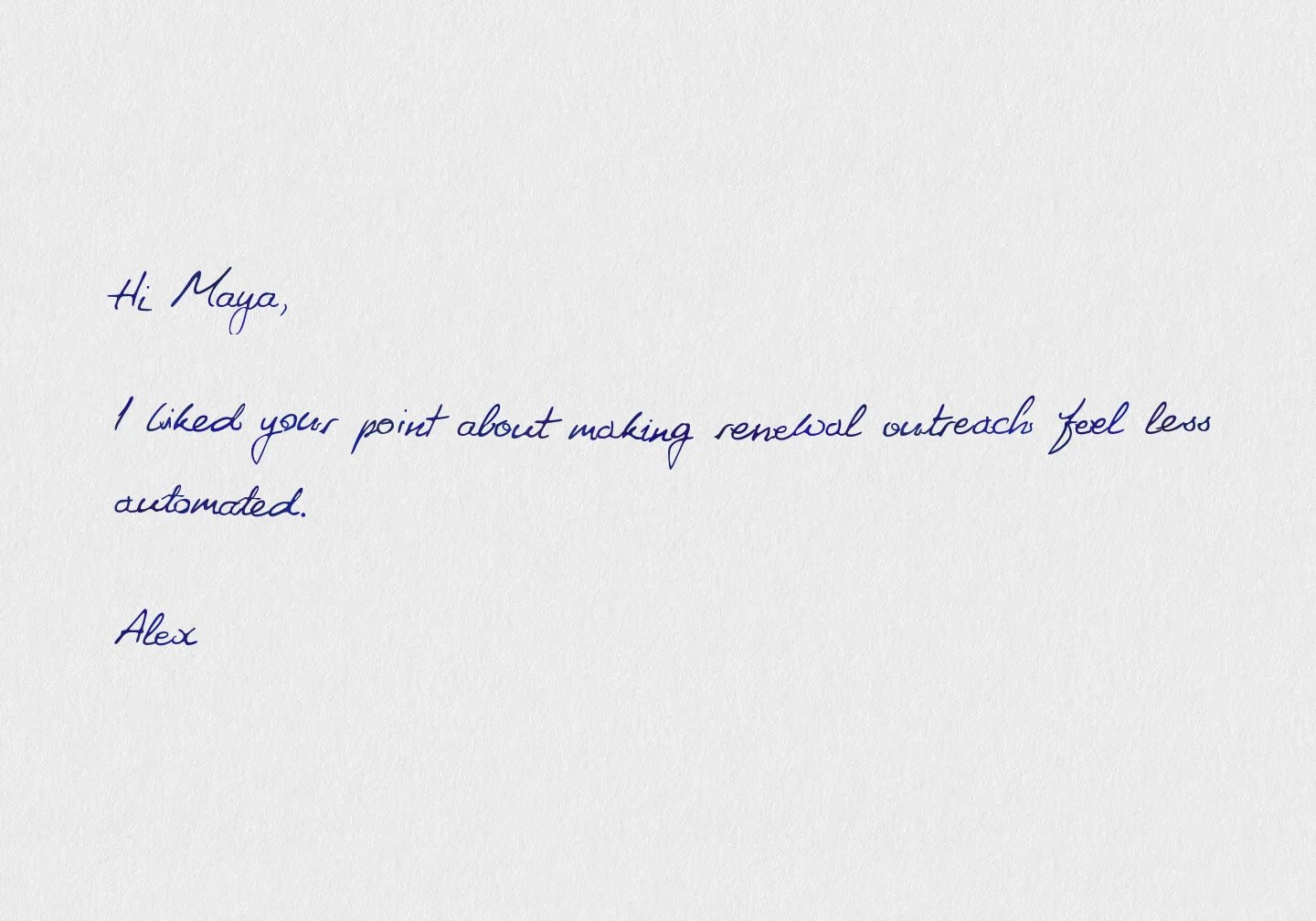
- an AE adds one line after a demo: "I liked your point about making renewal outreach feel less automated."
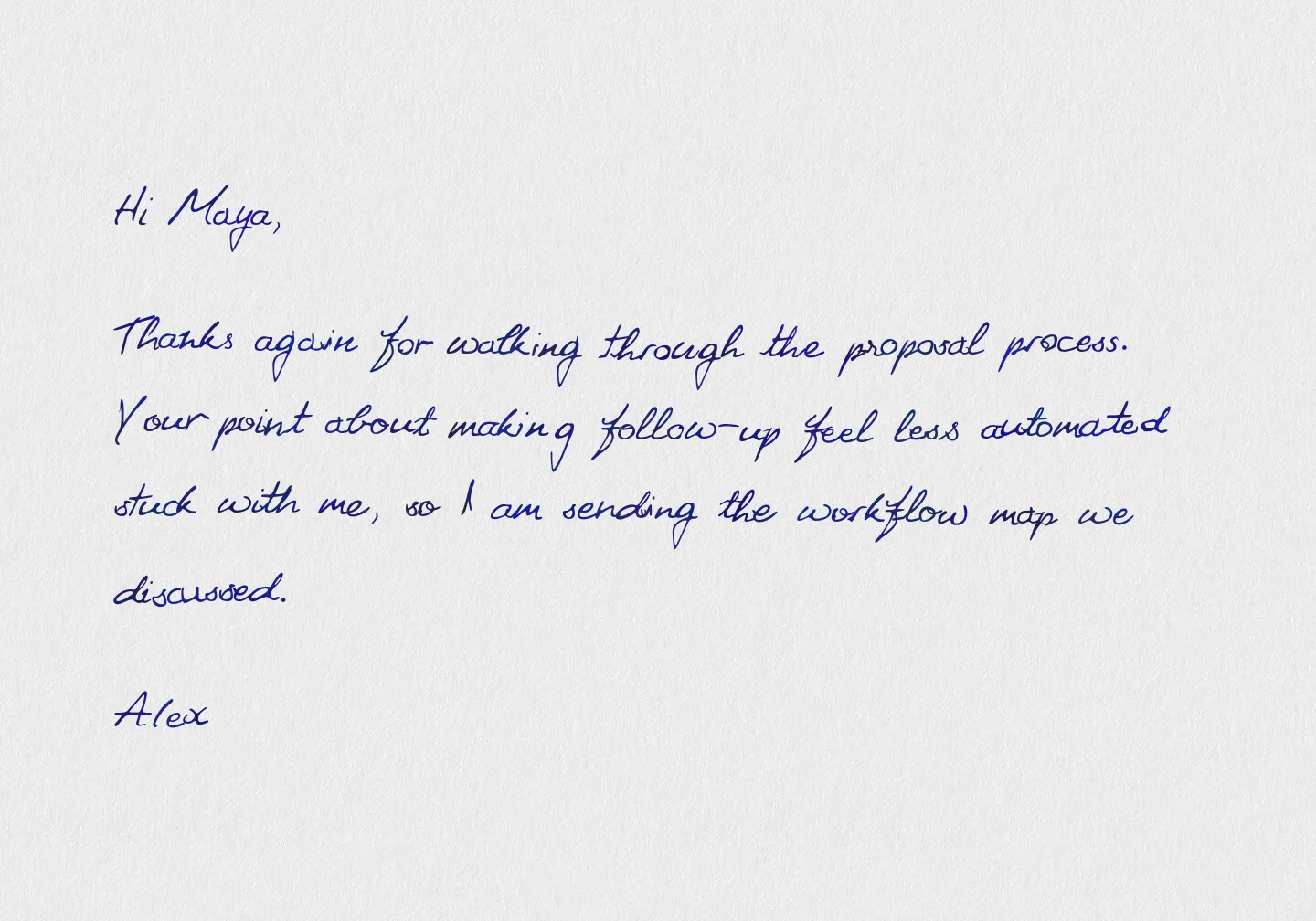
- a CSM adds a renewal note: "Thanks again for walking through the onboarding data with us last week."
- an event follow-up references the booth conversation, dinner, or roundtable topic
- an AI meeting summary suggests a first-draft intro, then the owner reviews it before the send
That custom message can map into a Scribeless template alongside standard fields like first name, company, sender, campaign, and next step.
HubSpot teams can use Breeze workflow AI actions, such as record summaries, custom prompts, or a connected custom LLM, to write a suggested intro into a CRM property. Salesforce teams can use Prompt Builder prompt templates from Flow to generate text into a field. In both cases, use the output as an input to the Scribeless workflow only after the team has decided whether the field is auto-approved or requires an owner review flag.
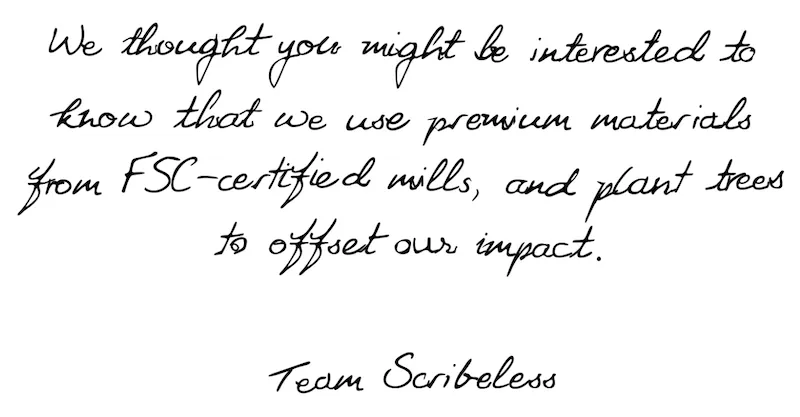
Scribeless handwritten auto-resizing is useful here: the same template can handle a short phrase, a few sentences, or a short paragraph and still fit the approved handwriting area cleanly. Reps do not need to hit an exact character count for the note to look balanced.
The field can stay the same while the human detail changes:
- short field: one specific sentence
- medium field: a reviewed intro from a meeting summary
- long field: a short paragraph for a high-context account
Short fieldone sentence
Medium fieldreviewed intro
Long fieldshort paragraph
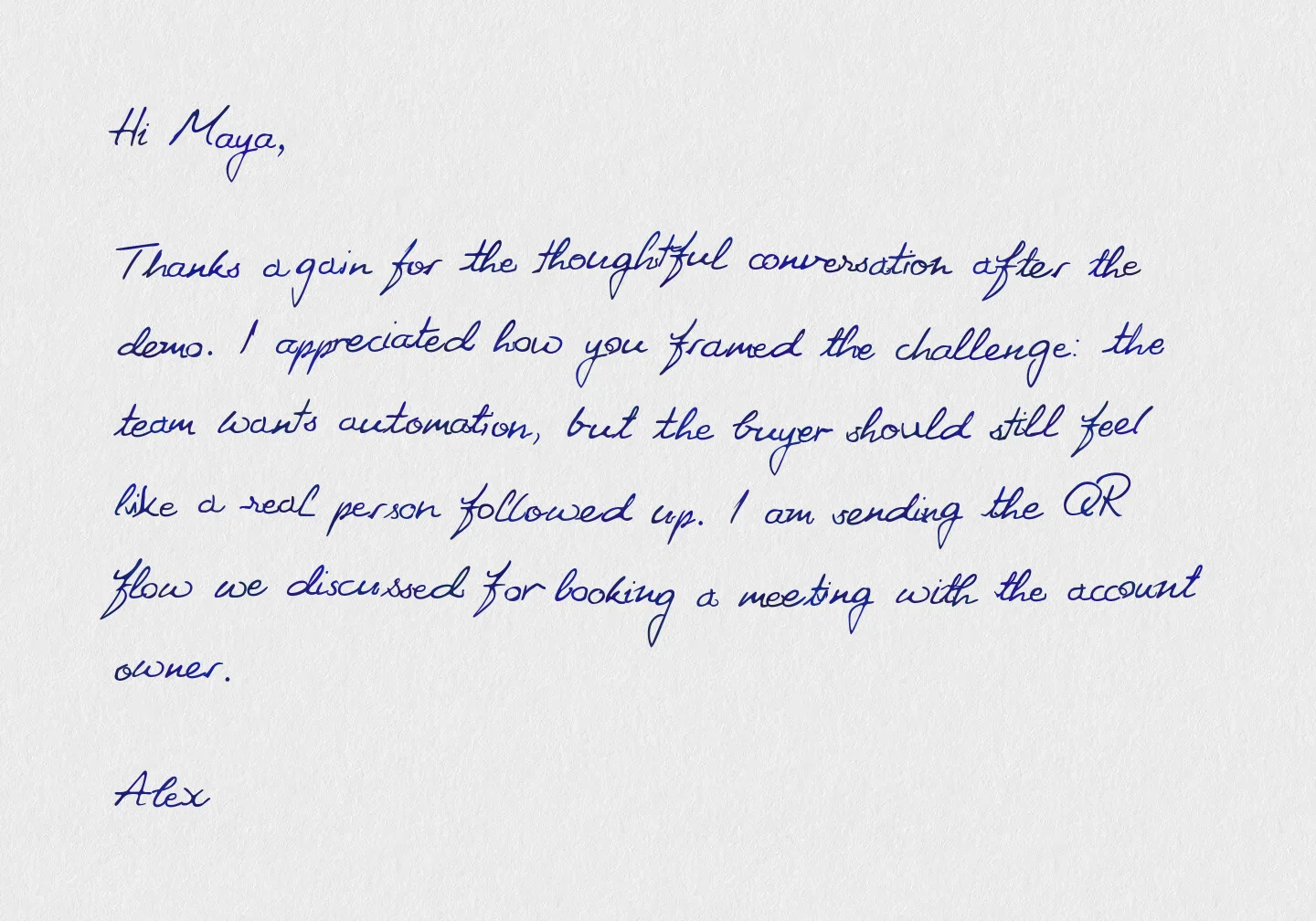
Use this lightly. Aim for earned specificity rather than a wall of generated copy.
Example post-demo note:
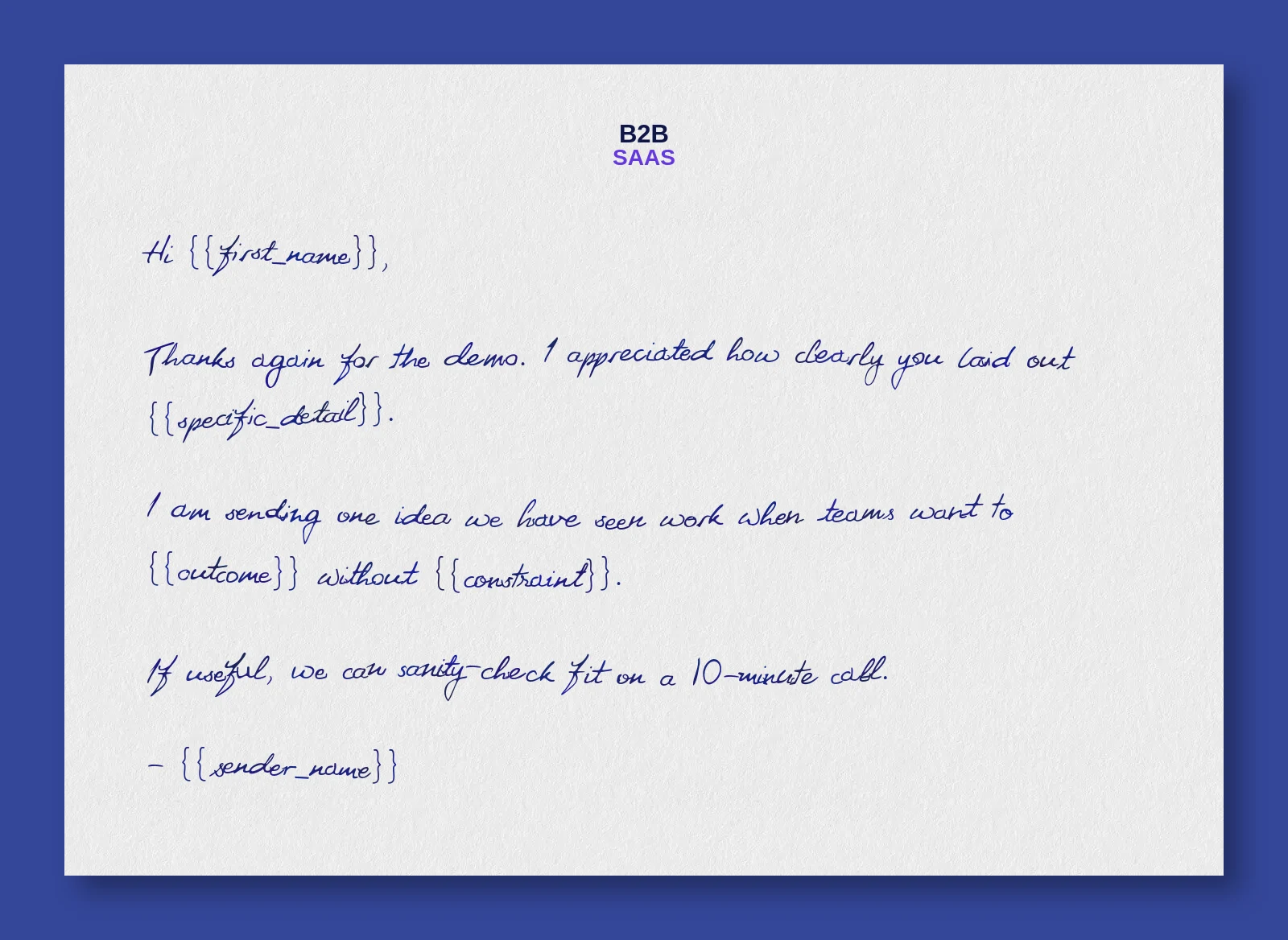
Hi ,
Thanks again for the demo. I appreciated how clearly you laid out .
I am sending one idea we have seen work when teams want to without . If useful, we can sanity-check fit on a 10-minute call.
Use the right platform guide
The strategic pieces are the same across CRMs: choose a high-signal trigger, check the address, respect suppression, map only the template variables that will render, log the send, and create owner follow-up.
The build steps differ enough that they deserve their own guides:
| Platform | Use this guide when you need | Deep dive |
|---|---|---|
| HubSpot | Workflow actions, contact-record sends, selected HubSpot properties, QR scan follow-up, and Data Agent intro-line review | HubSpot direct mail automation guide |
| Salesforce | Flow Builder actions, Lead and Contact manual sends, template variables in the modal, QR scan follow-up, and Prompt Builder review patterns | Salesforce direct mail automation guide |
Suppression, frequency caps, and QA
Triggered direct mail feels personal because it is selective. If the CRM can fire the same note repeatedly, the workflow becomes expensive and awkward.
Minimum guardrails:
- one mail item per contact every 30 days
- one or two mail items per account per quarter
- no sends when do-not-mail is true
- no sends when address quality is incomplete or unknown
- no sends when the contact has no active relationship to the opportunity
- no sends to closed-lost records unless the workflow is explicitly a win-back motion
Keep frequency caps in the CRM as the source of truth. If HubSpot, Salesforce, and reporting carry different "last mailed" values, your cap will eventually fail.
Before enabling the workflow for real recipients, test with internal records that cover both pass and fail paths.
QA checklist:
- missing first name does not create "Hi ,"
- incomplete address blocks the send
- do-not-mail blocks the send
- last mailed date blocks records inside the cap
- duplicate contacts do not receive duplicate mail
- sender maps to the correct owner
- campaign ID matches the CRM campaign/reporting name
- template variables render correctly
- follow-up task assigns to the right owner
- QR scan creates the intended task or lifecycle update
- holdout records are excluded if a test is running
Also run a "receipt test": if the recipient showed the note to their CFO, customer success manager, or legal team, would the personalization feel relevant and earned? If not, reduce the personalization.
QR tracking and CRM follow-up
Keep outcome reporting in the CRM. Web analytics should explain whether the response path worked.
Minimum tracking:
| Event or field | Where it lives | Why |
|---|---|---|
mail_queued | automation log or mail router | confirms the workflow created a send |
mail_sent | CRM activity or campaign member | makes matchbacks possible |
mail_campaign_id | CRM and analytics | joins reports across tools |
mail_template_id | CRM and mail platform | compares copy/creative |
qr_scanned | redirect/analytics and CRM | creates follow-up intent |
owner_task_created | CRM | closes the loop for sales/CS |
Use a redirect link behind each QR code so the destination can change after printing and tracking stays consistent. The direct mail tracking stack guide covers the implementation layer: redirect links, UTMs, CRM fields, GA4 events, and matchbacks.
Treat QR scans as intent signals. They can create a task, branch a lifecycle workflow, update a campaign member, or notify the owner. They should not trigger another mail piece by default.
For measurement, report mailed cohort outcomes instead of treating QR scans as ROI: meetings booked, opportunities created, stage progression, renewal activity, or expansion conversations. The B2B direct mail attribution guide covers matchbacks and holdouts in more depth.
First 30 days rollout
Use the first month to prove the motion before widening eligibility.
| Week | Build | Success check |
|---|---|---|
| 1 | Audit CRM fields, address quality, owner mapping, suppression, and last-mailed fields | The workflow can decide who qualifies without manual cleanup |
| 2 | Test one automated demo or Working Lead workflow with internal records | Good records send, blocked records stay blocked, campaign ID is logged |
| 3 | Give reps or CSMs one manual send path with a required custom message field | The sender can add useful context without leaving the CRM |
| 4 | Review mailed cohort, holdout, QR scans, owner follow-up, and stage movement | The team knows whether to scale, narrow, or change the campaign |
Common failure modes
The CRM has the trigger but misses the address
This is common in B2B. Do not let the workflow "best effort" missing address data. Block the send, route the record to enrichment, and retry only after address confidence improves.
The wrong owner sends the note
Owner fields drift when opportunities transfer. The workflow should use the current owner or an explicit sender field, not whoever owned the record when the account first entered the CRM.
The same account gets multiple notes
Contact-level caps alone can fail in ABM. Add account-level caps so three stakeholders at the same company do not receive near-identical notes in the same week.
The QR scan is treated as revenue
A scan is intent. It should create a task, branch a workflow, or update engagement. It should not be counted as pipeline without a CRM outcome.
Suppression is handled outside the CRM
Suppression belongs in the CRM because that is where sales and customer teams work. If a recipient opts out or should not receive mail, every workflow should see that flag.
FAQ
Can HubSpot trigger direct mail?
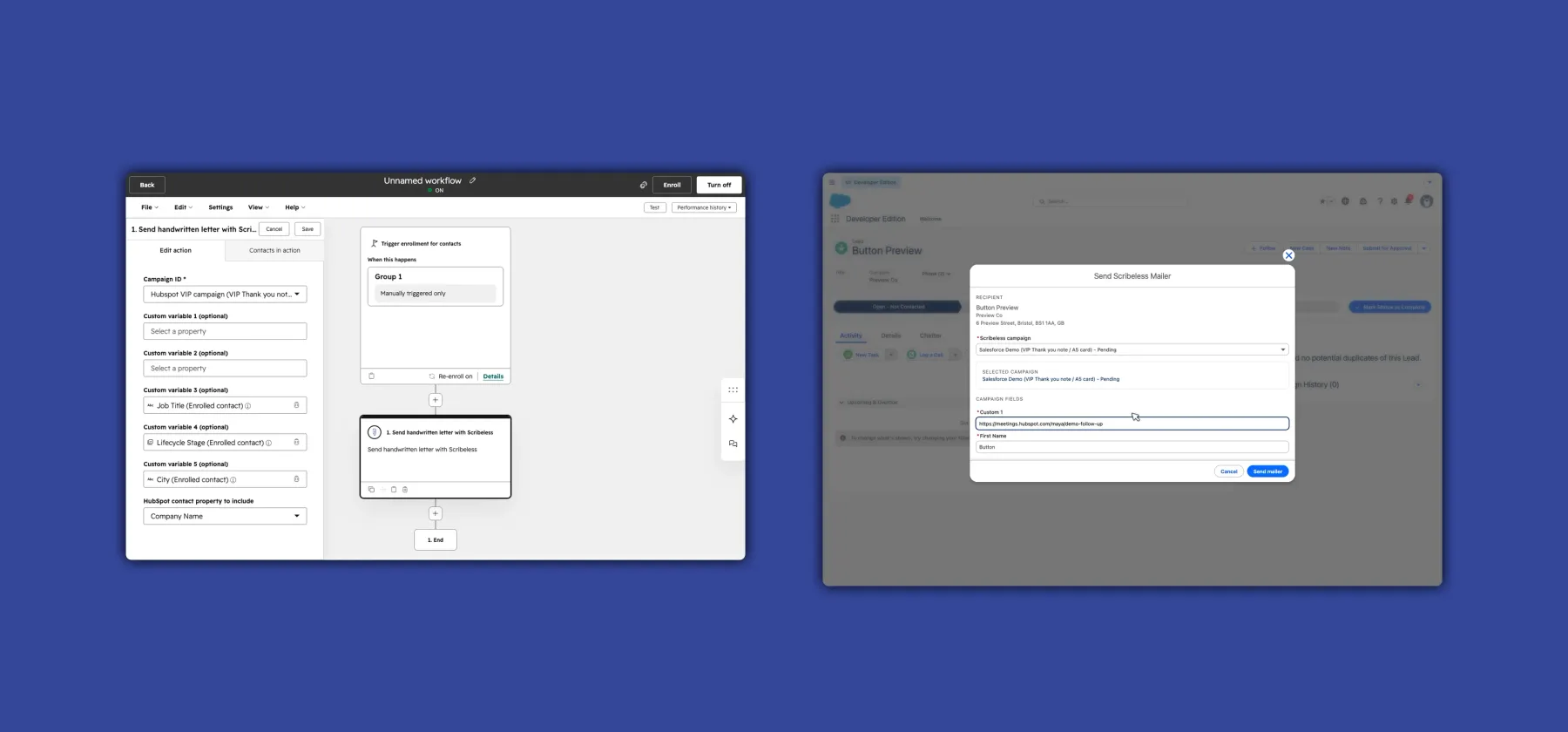
Yes. HubSpot workflows can enroll records from CRM conditions such as meetings, lifecycle stage changes, deal properties, list membership, and custom properties. With Scribeless, HubSpot teams can use native workflow automation or one-off sends from CRM records depending on the context.
Can Salesforce trigger direct mail?
Yes. Salesforce Flow can use opportunity, lead, contact, account, or campaign member changes to send direct mail through Scribeless. Salesforce users can also trigger one-off Scribeless mailers from lead and contact records when they want to add a more specific message.
What fields are required before triggering direct mail?
At minimum, you need the recipient name and a complete postal address. For automation, add the fields that control the send: owner, trigger reason, campaign ID, suppression status, last mailed date, and any template variables required by the selected Scribeless campaign. Those extra fields help prevent the workflow from sending too often, using the wrong message, or losing the reporting trail.
Should every direct mail workflow use a QR code?
Not always. Use QR codes when the recipient has a clear next action: book a meeting, RSVP, view a resource, or confirm interest. For executive notes, a short URL plus owner follow-up may be more natural.
Should every send be automated?
No. Automate repeatable moments with clear rules. Use one-off sends when the owner can add context that makes the handwritten note feel earned: a meeting detail, a champion thank-you, a renewal concern, or a specific next step.
See it in action
CRM-triggered direct mail works when the CRM decides eligibility, enforces suppression, passes clean variables, logs the touch, creates follow-up, and measures outcomes.
Use automation for moments the CRM can identify reliably. Use one-off sends when the owner has a specific detail that will make the note better. Scale only after the QA path is boring.
Want to see how B2B teams use HubSpot or Salesforce to trigger handwritten direct mail? Book a CRM direct mail demo.