What this guide helps you build
If Salesforce is where your team manages leads, opportunities, renewals, owners, and follow-up tasks, direct mail should not live in a disconnected spreadsheet.
The useful pattern is simple: Salesforce decides whether a record qualifies, Scribeless creates the mailer, and Salesforce keeps the record of what happened.
For the wider CRM model across platforms, start with the CRM-triggered direct mail guide. This post is the Salesforce-specific playbook: how to use native Salesforce automation and manual sales actions without turning direct mail into another generic nurture channel.
There are two modes:
| Mode | Use it for | Primary owner |
|---|---|---|
| Salesforce Flow automation | Repeatable trigger-based sends, such as Working Lead, stalled opportunity, renewal window, or event follow-up | RevOps, Salesforce admin, demand gen, CS ops |
| Manual Lead or Contact action | One-off notes where a rep, AE, CSM, or executive should personalize the message before sending | Sales, CS, account leadership |
The best programs use both. Flow handles repeatable moments. Manual sends protect the moments where a rep, CSM, or executive can add the detail that makes the note worth receiving.
For setup details, use the Salesforce integration page. The strategy below assumes the native integration is available and Salesforce is the source of truth.
Quick-start Salesforce recipes
| Use case | Salesforce trigger | Scribeless campaign | Template variable to include | Follow-up |
|---|---|---|---|---|
| Working Lead follow-up | Lead status becomes Working - Contacted | SDR or AE follow-up note | meeting_intro or lead_source_context | Owner task after delivery |
| Stalled opportunity | Opportunity has exceeded days-in-stage threshold | AE or executive note | opportunity_context | Deal review task |
| Post-meeting AE note | Meeting completed and reviewed flag is true | Personal AE note | meeting_intro | AE call or email task |
| Renewal or CS note | Renewal date enters 90-day window | CSM note | renewal_context | Renewal planning task |
Choose between Flow and manual sends
Salesforce direct mail usually belongs in one of two paths: a Flow for repeatable rules, or a manual action when the sender needs to choose the campaign and write the personal line.
Flow Builder automation
Use a Salesforce Flow when the mail trigger is clear enough to turn into rules.
Good Flow candidates:
- a lead reaches
Working - Contacted - an opportunity is stalled for a defined number of days
- a post-meeting task is completed
- a Salesforce Campaign Member attends an event
- a renewal window opens
- a customer success risk or expansion signal appears
Bad Flow candidates:
- "the rep feels like sending something"
- "the account seems important"
- "the prospect opened an email"
Those can still be good reasons for a manual send. They usually need a person to choose the campaign and write the message.
Implementation shape
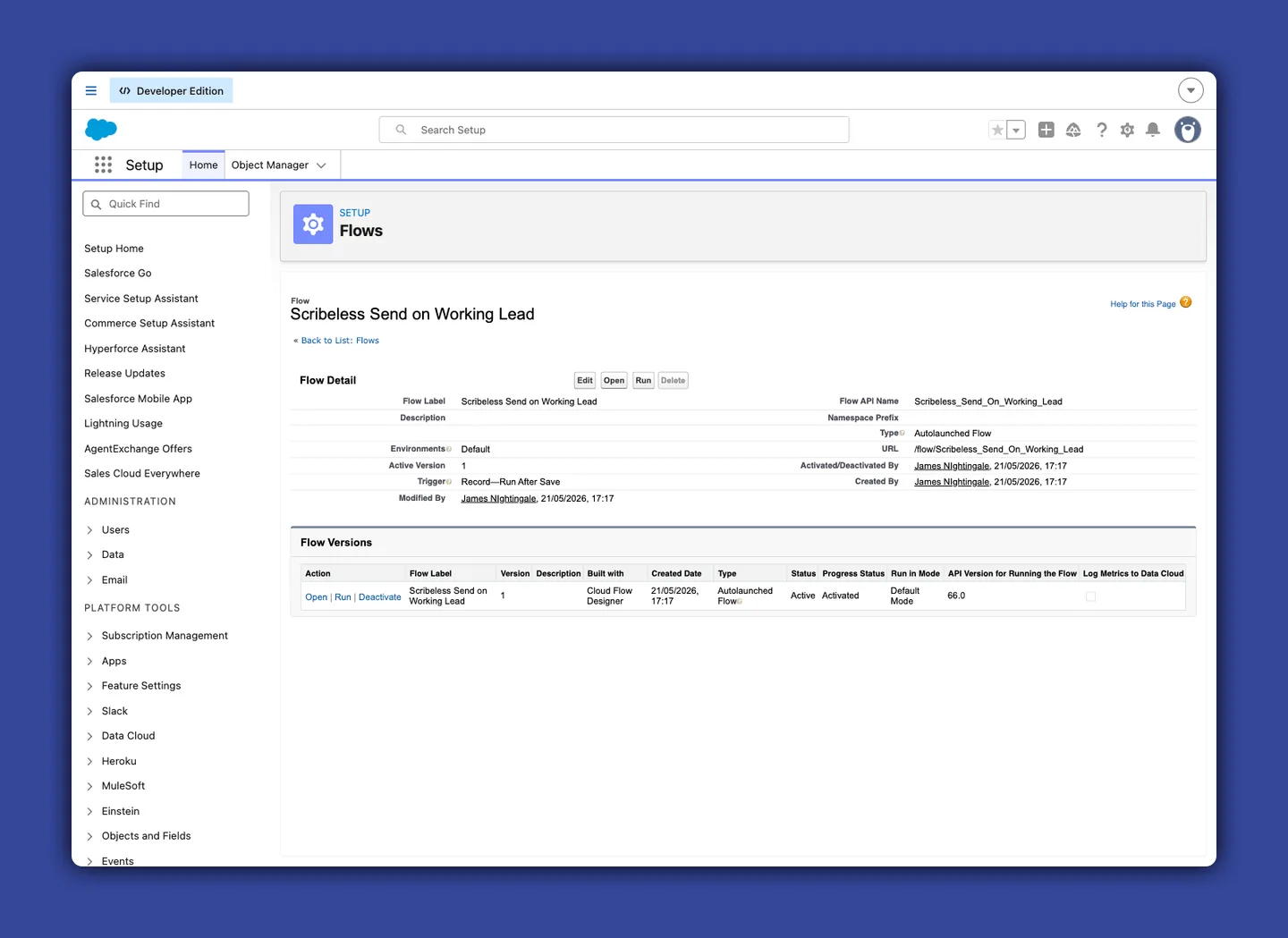
The native Salesforce setup gives the admin a package with the components needed to connect Salesforce and Scribeless. At a high level, the admin installs the package, configures the Named Credential that connects to Scribeless, assigns the relevant permission set, and then uses the Scribeless Apex action inside Flow.
The important Flow action is:
Send recipient to Scribeless
Place that action after eligibility checks, address checks, and duplicate guards.
For record-triggered flows, this should usually run in an after-save path, not a before-save update path. The mailer is an external action, and the integration should work from the committed Salesforce record after the Flow has confirmed eligibility and the fields it needs.
Typical input shape:
{
  "campaignId": "sf_working_lead_post_meeting",
  "firstName": "{!Lead.FirstName}",
  "lastName": "{!Lead.LastName}",
  "company": "{!Lead.Company}",
  "address1": "{!Lead.Street}",
  "address2": "{!Lead.Address_Line_2__c}",
  "city": "{!Lead.City}",
  "state": "{!Lead.State}",
  "postalCode": "{!Lead.PostalCode}",
  "country": "{!Lead.CountryCode}",
  "variablesJson": {
    "lead_source_context": "pricing page request",
    "meeting_intro": "{!Lead.Meeting_Intro__c}",
    "next_step": "{!Lead.Next_Step__c}",
    "sender_name": "{!Lead.OwnerFirstName}"
  },
  "sourceObjectType": "Lead",
  "sourceRecordId": "{!Lead.Id}"
}
Treat variablesJson as the template-variable payload for the Scribeless action. Use the field names exposed by the installed package in your Flow Builder action; the examples show the values to pass and the naming discipline to keep. If Flow Builder exposes variablesJson as a text input, pass this same payload as serialized JSON.
Keep variablesJson for values the Scribeless template actually renders, such as a meeting intro, sender name, next step, QR destination, renewal context, or executive note. If a field is only used for Flow eligibility, reporting, suppression, frequency caps, or owner follow-up, keep it as a Salesforce field or task value instead of pushing it into the template-variable payload.
For Contacts, map the mailing address fields instead of Lead address fields. The minimum QA rules should block a Lead without First Name, Street, and Country, and block a Contact without First Name, Mailing Street, and Mailing Country.
After a successful send, write the result back to Salesforce. The two useful fields to keep visible in reporting are:
Scribeless_Note_Sent_At__cScribeless_Note_Campaign_Id__c
Those fields make it possible to answer basic questions later: who received mail, when they received it, which campaign sent it, and whether pipeline movement happened after the touch.
| Salesforce report question | Field or object needed | Why |
|---|---|---|
| Which leads received the Working Lead note? | Lead fields plus Scribeless_Note_Campaign_Id__c | Lets SDR managers compare contacted leads with and without mail |
| Did mailed opportunities move stage? | Opportunity stage history plus mail sent date | Connects the mail touch to deal movement without claiming direct attribution too early |
| Which event attendees received follow-up? | Campaign Member status plus campaign ID | Keeps event mail tied to attendance and segment quality |
| Which renewals were mailed in the next 90 days? | Renewal date, CSM owner, sent date | Gives CS a list for renewal planning and follow-up tasks |
Manual Lead or Contact sends
Use manual sending when the Salesforce user should choose the campaign and enter the message before the mailer leaves the CRM.
The native action lets a user open Send Scribeless Mailer from a Lead or Contact, review the recipient, choose a campaign from a dropdown, fill the template fields, preview, and send. If a template has a field such as meeting_intro, manual_note, or exec_sponsor_note, the user should treat it as the part they own: write it directly, paste an approved suggestion, or edit AI-drafted copy before sending. After sending, the modal can show the recipient ID, status, preview, and open buttons so the user is not guessing whether the mailer was created.
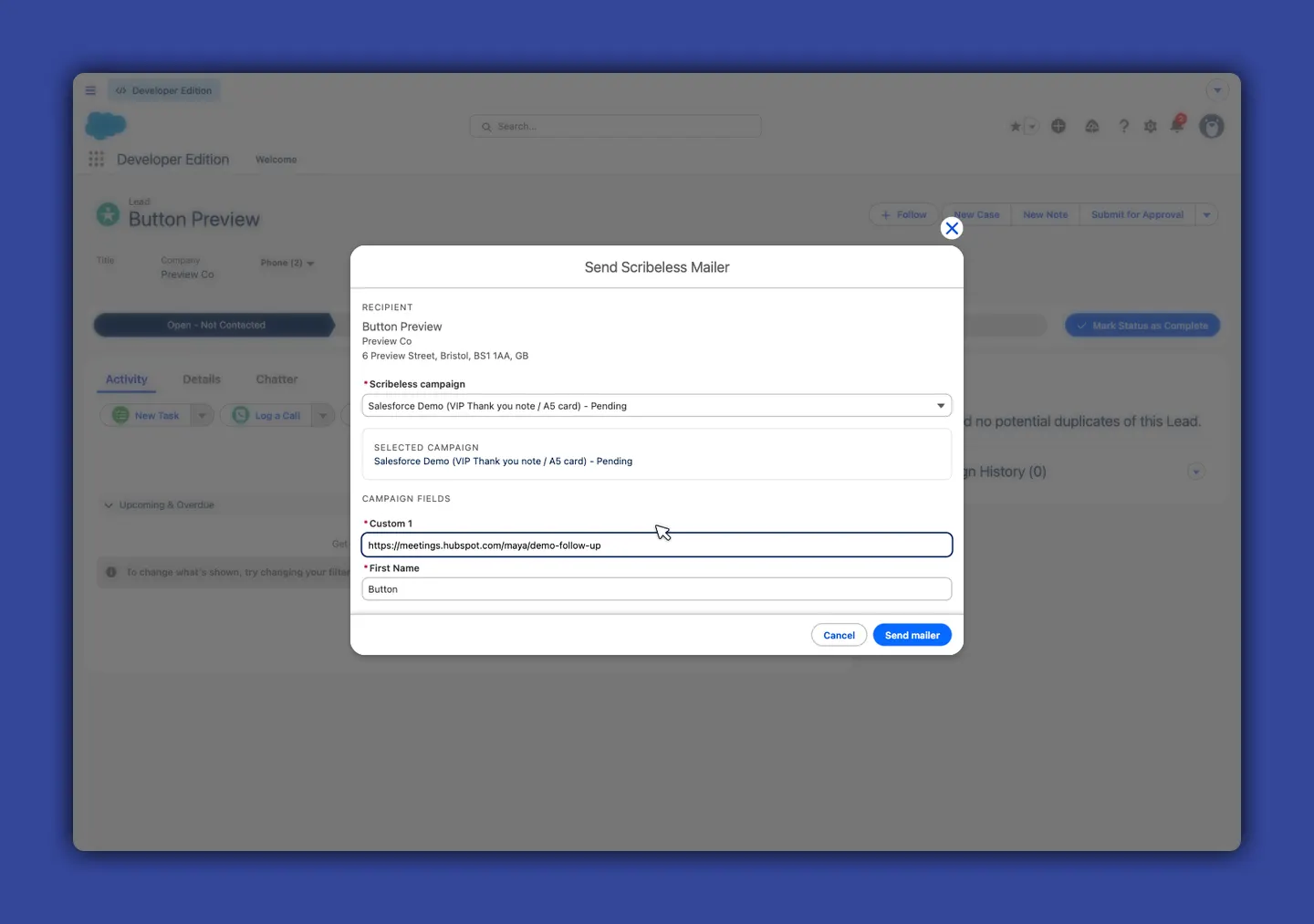
The important detail is that Scribeless template variables are pulled into the Salesforce modal. That means the admin can design the campaign template in Scribeless, then give reps the specific fields they should complete in Salesforce.
In the example above, the Scribeless campaign includes a QR code whose destination uses the Custom 1 template variable. A rep can paste a meeting URL such as https://meetings.hubspot.com/maya/demo-follow-up, or Salesforce can map an owner-specific booking link into that field. The printed mailer then routes the recipient to the right rep instead of a generic booking page.
Admins should test the manual action separately on Lead and Contact records. Lead address fields and Contact Mailing* fields differ, and the modal should block missing required fields before preview or send.
Useful manual template fields:
| Field | Who fills it | Why it matters |
|---|---|---|
meeting_intro | AE or SDR | Adds the one line that proves the note is tied to the conversation |
custom1 / QR URL | AE, RevOps, or Flow | Sends the recipient to the right booking page, proposal, or rep-owned next step when the template QR destination uses that variable |
manual_note | AE, CSM, exec sponsor | Lets a human add one-off copy before the send |
renewal_context | CSM | References the outcome, milestone, or risk that matters before renewal |
exec_sponsor_note | Sales leader or executive | Makes a strategic account note feel senior, not automated |
Missing-field validation matters here. If First Name or the required mailing address fields are missing, the user should fix the Salesforce record before sending. Do not teach reps to work around incomplete data with half-manual processes.
Five Salesforce campaigns worth building
Start with motions where Salesforce already has the object, owner, and follow-up path. You are using the CRM record your team already trusts, then adding a mail touch that sales, RevOps, and CS can see later.
| Campaign | Primary team | Best mode | Salesforce starting point | Personalization field |
|---|---|---|---|---|
| Working Lead follow-up | SDR, AE, RevOps | Flow, with optional owner review | Lead status changes to Working - Contacted | meeting_intro or lead_source_context |
| Stalled opportunity note | AE, sales leadership | Flow or manual send | Opportunity days in stage exceeds threshold | opportunity_context |
| Post-meeting AE note | AE, sales ops | Manual action or reviewed Flow | Completed meeting/task on Lead or Contact | meeting_intro |
| Executive sponsor note | Sales leader, founder, strategic accounts | Manual action | Strategic opportunity or Contact record | exec_sponsor_note |
| Renewal or CS note | CSM, CS ops | Flow plus manual override | Account, Contact, Contract, or renewal opportunity date | renewal_context |
Working Lead follow-up
This is the cleanest starter automation for sales teams.
Use it when an SDR or AE has made real contact and the lead is now worth a higher-effort touch.
Flow design
- Object: Lead.
- Trigger: record is updated.
- Entry criteria: status moves to
Working - Contacted. - Decision: First Name, Street, and Country are present.
- Decision: do-not-mail is false.
- Decision:
Scribeless_Note_Sent_At__cis empty or outside your frequency cap. - Action:
Send recipient to Scribeless. - Update Lead: set sent date and campaign ID.
- Create task for owner after the expected delivery window.
Message strategy
Do not write a generic "thanks for your time" note. The point is to make the physical touch feel earned.
Useful template variables:
{
  "lead_source_context": "pricing page request",
  "owner_name": "Maya",
  "meeting_intro": "I liked your point about onboarding becoming the bottleneck.",
  "next_step": "Happy to share the workflow map we discussed."
}
The meeting_intro field is where Salesforce becomes valuable because it changes the note the recipient sees. It can be a custom field on the Lead, a Flow-built value, or a human-reviewed note suggested from meeting notes. Keep it short enough to feel natural. Fields such as status, score, territory, owner ID, and account tier can still control the Flow, but they do not need to be template variables unless the mailer actually renders them.
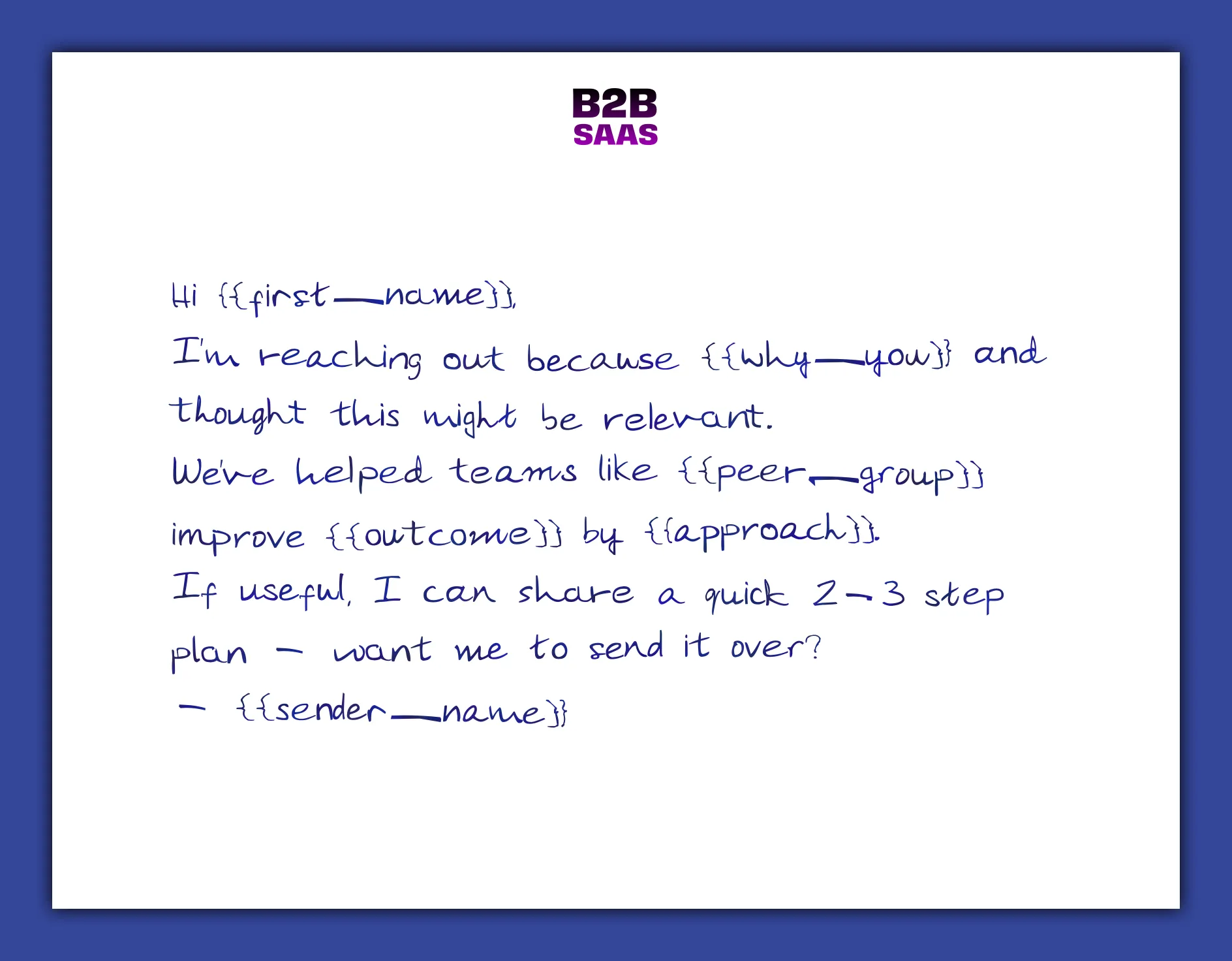
Hi ,
I'm reaching out because you requested pricing and mentioned onboarding as the bottleneck.
We've helped teams route high-intent CRM moments into handwritten follow-up without adding rep admin. If useful, I can share the 2-step workflow map I mentioned.
For outbound sequencing ideas around this motion, use the B2B sales outreach direct mail guide.
Stalled opportunity note
A stalled opportunity is one of the best Salesforce direct mail triggers because the CRM already knows the business context.
Use it when:
- the opportunity is late enough to matter
- the account is high value enough to justify the send
- the owner has a real point of view to reference
- there is a clear follow-up action after delivery
Flow design
Build this as an Opportunity-triggered Flow or a scheduled Flow that evaluates open opportunities once per day.
Eligibility:
- stage is a defined sales stage
- days in stage is above your threshold
- amount or account tier meets the campaign rule
- primary contact exists
- primary contact has a valid mailing address
- account has not received a similar note recently
Action mapping:
{
  "campaignId": "sf_stalled_opp_exec_note",
  "firstName": "{!PrimaryContact.FirstName}",
  "lastName": "{!PrimaryContact.LastName}",
  "company": "{!Account.Name}",
  "address1": "{!PrimaryContact.MailingStreet}",
  "address2": "{!PrimaryContact.Mailing_Address_2__c}",
  "city": "{!PrimaryContact.MailingCity}",
  "state": "{!PrimaryContact.MailingState}",
  "postalCode": "{!PrimaryContact.MailingPostalCode}",
  "country": "{!PrimaryContact.MailingCountry}",
  "sourceObjectType": "Opportunity",
  "sourceRecordId": "{!Opportunity.Id}",
  "variablesJson": {
    "account_name": "{!Account.Name}",
    "opportunity_context": "{!Opportunity.NextStep}",
    "exec_sponsor_note": "{!Opportunity.Exec_Sponsor_Note__c}"
  }
}
The automation earns its keep when Salesforce restricts the send to the right accounts and routes follow-up back to the owner. Treat the mailed note as a sales action with an accountable next step.
For strategic-account campaign structure, pair this with the mailbox-first ABM playbook.
Post-meeting AE note
This is where manual and automated workflows can meet.
You can automate the eligibility and still give the AE control over the message. For example:
- A meeting is marked completed.
- A meeting summary, call note, or Salesforce Prompt Builder prompt template is processed into a suggested intro.
- Salesforce writes that suggestion into a custom field.
- The AE reviews it.
- The AE sends manually from the Lead or Contact page, or Flow sends only after a reviewed flag is set.
Salesforce Prompt Builder templates can be exposed as Flow actions, so the generation step can sit inside the same Flow that checks eligibility. Keep the send separate from the generation step unless the use case is low risk and tightly governed. The safer default is: generate into a field, create an owner task, require review, then let the manual action or a reviewed Flow send the mailer.
That pattern lets the team use AI without sending unreviewed AI copy. The suggested intro should help the rep remember the best detail, not replace judgment.
Good intro examples:
- "Your point about data quality slowing onboarding stuck with me."
- "I appreciated the way you framed the renewal risk around executive visibility."
- "The handoff between RevOps and the CS team sounded like the key constraint."
Bad intro examples:
- "It was great learning more about your business."
- "Just following up."
- "I know you are busy."
The more specific the intro, the less the rest of the note has to work.
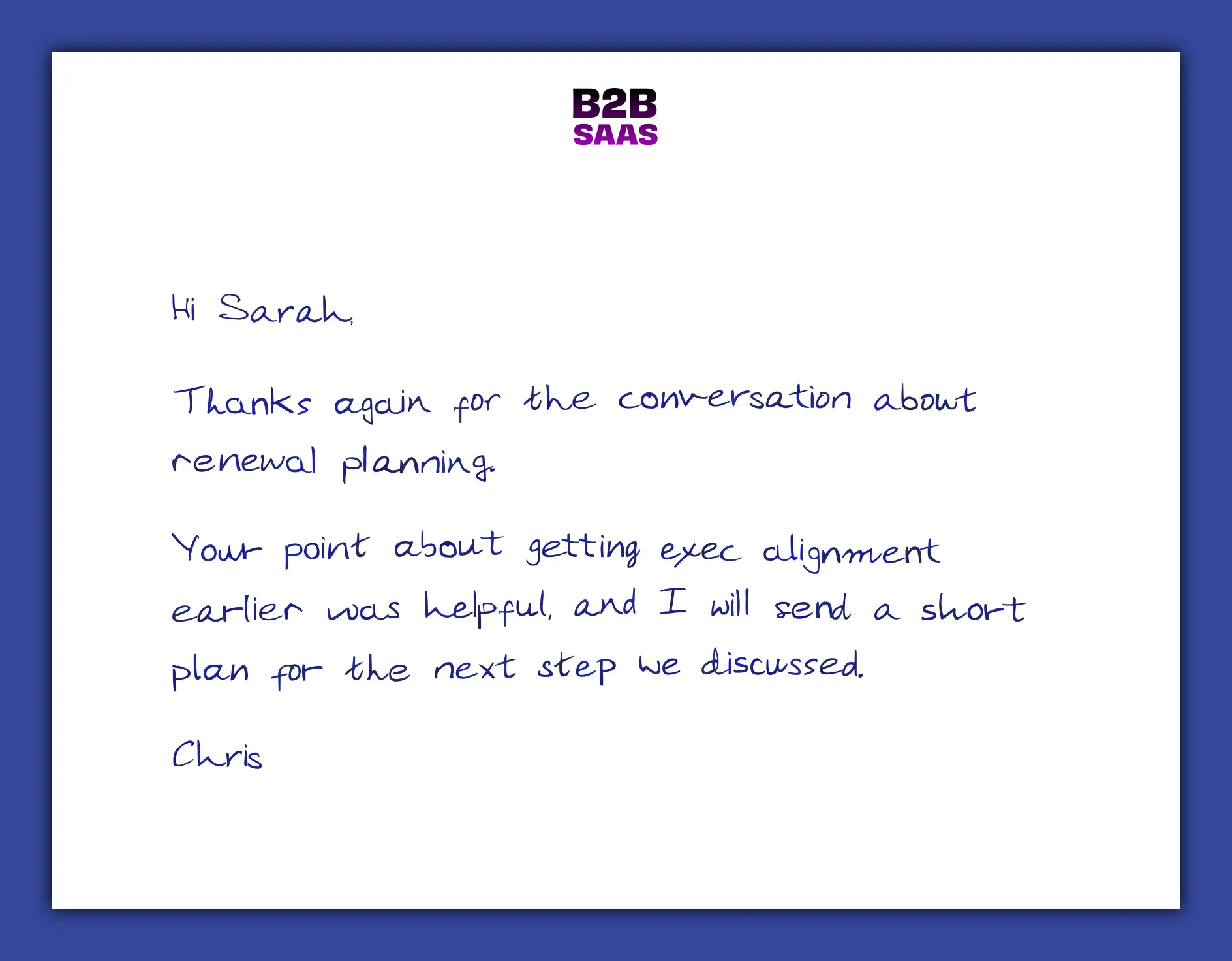
Hi Sarah,
Thanks again for the conversation about renewal planning.
Your point about getting exec alignment earlier was helpful, and I will send a short plan for the next step we discussed.
Chris
Executive sponsor note
Exec sponsor mail should be selective. It loses value if every mid-market account gets the same executive-signed note.
Use it for:
- late-stage strategic opportunities
- target accounts where an executive attended a meeting
- post-event follow-up after a senior conversation
- renewal risk where the relationship needs senior attention
Manual send is usually better than full automation here. The sales leader can choose the campaign, write the exec_sponsor_note, preview the note, and send from the Contact record.
Example custom message:
I appreciated your question about how RevOps keeps the human touch visible as the team scales. That is exactly the kind of workflow we built Scribeless for.
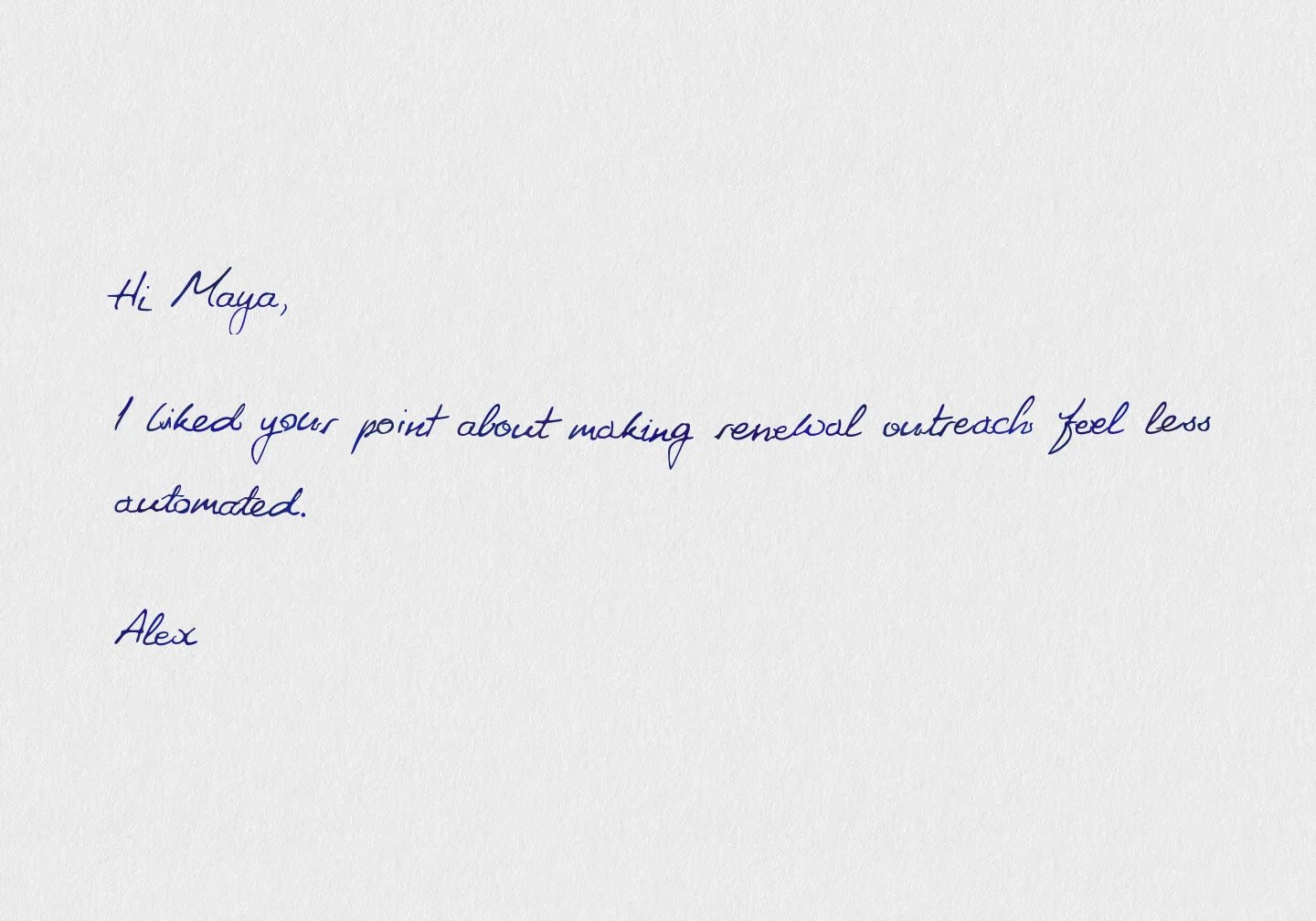
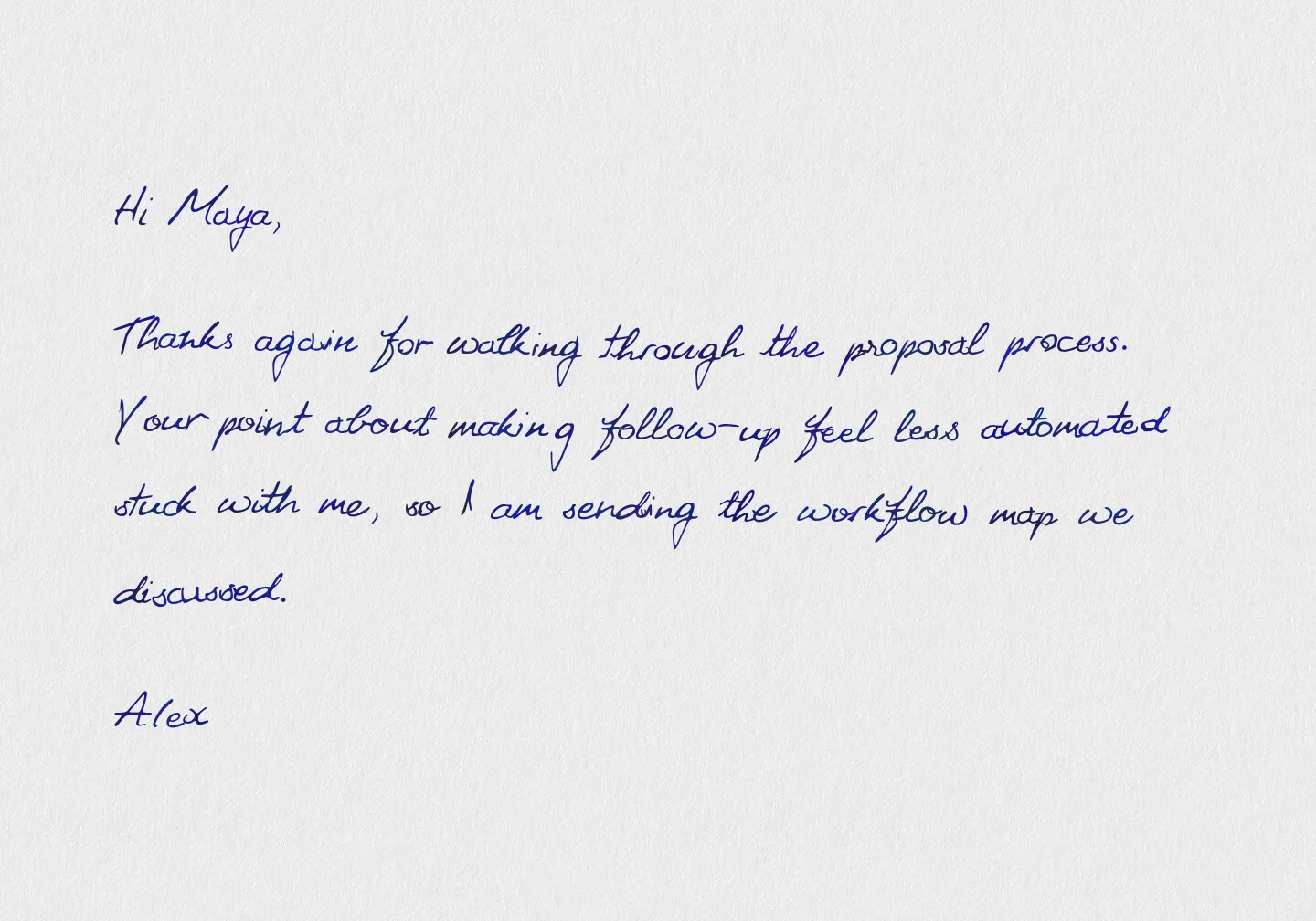
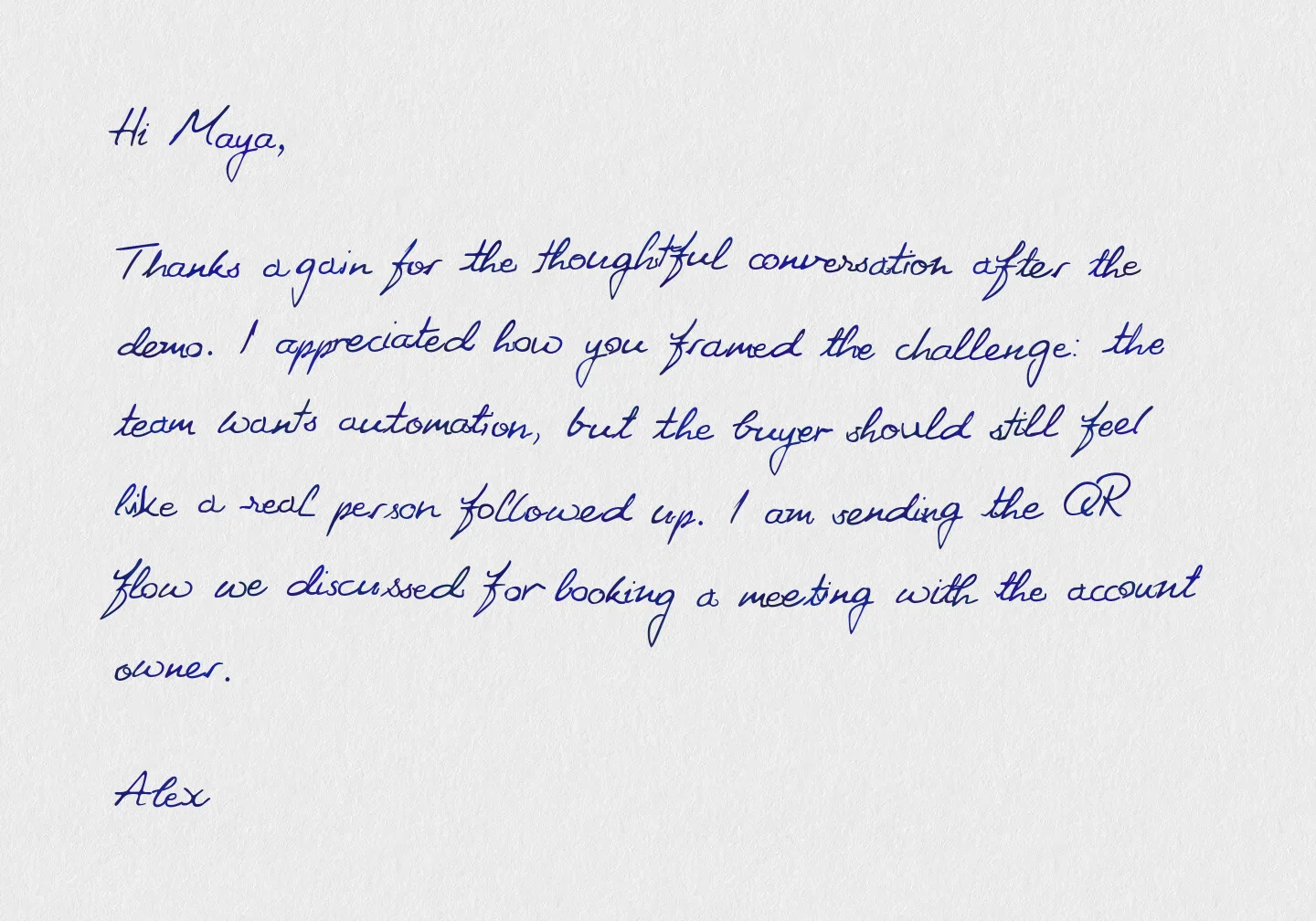
Scribeless handwritten auto-resizing is useful here because message length varies in real Salesforce workflows. An AE may add one sentence after a call. A manager may paste a reviewed meeting-summary intro. A founder or exec sponsor may write a short paragraph for a strategic account. One template can handle all three when the message has been approved.
Use the same Salesforce-mapped template field for the human part of the note:
meeting_introfor the AE linereviewed_introfor copy generated from meeting notes and approved by the ownerexec_sponsor_notefor a selective senior note
The governance still belongs in Salesforce: decide which records qualify, who can edit the field, whether approval is required, and what maximum length is acceptable. Scribeless then renders that approved text so a short line does not look lost and a longer paragraph does not overflow the handwriting area.
AE lineone sentence
Reviewed intromeeting summary
Sponsor noteshort paragraph
Renewal or CS note
Customer success teams should use Salesforce direct mail differently from sales.
Sales usually sends mail to create or revive a conversation. CS sends mail to reinforce trust before a commercial or relationship moment.
Useful triggers:
- renewal date is 90 days away
- onboarding milestone completed
- first value achieved
- executive business review scheduled
- usage drops after a strong first quarter
- champion changes role
The note should reference a real customer moment:
{
  "renewal_context": "your team completed the first claims workflow in production",
  "csm_name": "Jordan",
  "next_step": "I am looking forward to the renewal planning session next week."
}
For customer lifecycle campaigns, see the B2B retention direct mail playbook.
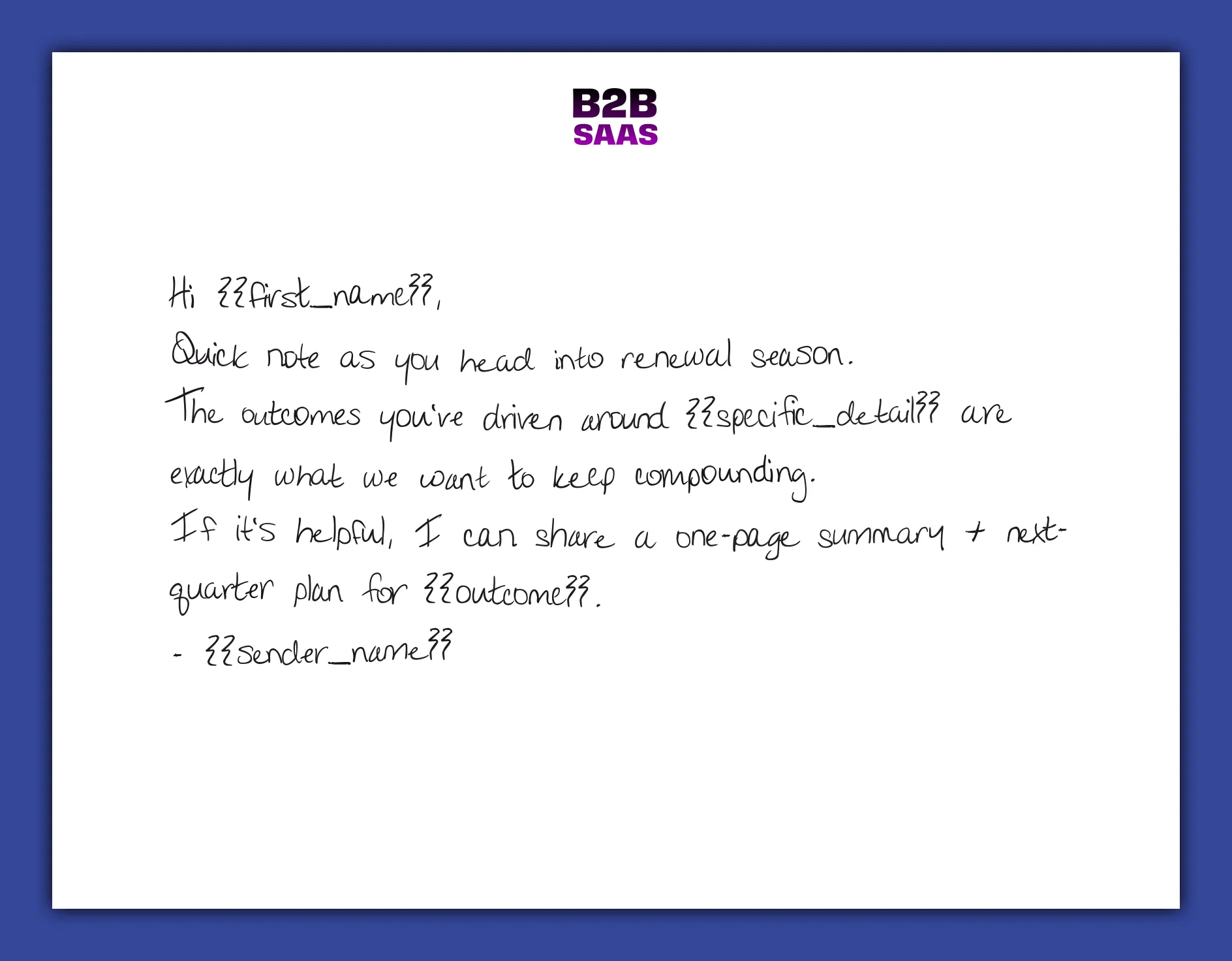
Hi ,
Quick note as you head into renewal planning.
The progress your team made on is exactly what we want to keep building on.
I will bring a short plan for to our next meeting.
For renewal notes, keep the custom message field flexible. A CSM might add one specific sentence for most accounts and a longer reviewed paragraph for strategic renewals; Scribeless auto-resizing keeps both inside the approved handwriting area without forcing the team to write to an exact character count.
Field model and template variables
Salesforce direct mail programs become hard to manage when every campaign invents its own field names.
Use a small field model:
| Field | Purpose |
|---|---|
campaignId | The Scribeless campaign to send |
sourceObjectType | The Salesforce object that created the send |
sourceRecordId | The Salesforce record ID that triggered or requested the send |
variablesJson | Template variables passed to Scribeless |
Scribeless_Note_Sent_At__c | Last successful mail send timestamp |
Scribeless_Note_Campaign_Id__c | Last successful mail campaign ID |
For variablesJson, keep names readable. A field like meeting_intro is easier to govern than custom_1 once multiple teams start building campaigns. Only include fields that affect the rendered note, QR destination, or another template-controlled element.
Recommended variable groups:
- recipient context that appears in the mailer: role, company, buying committee label
- sales context: meeting intro, pain point, next step
- campaign context: event name, offer, QR destination
- CS context: milestone, renewal date, adoption note
- sender context: owner name, team, direct line
If the template contains a QR code and the destination should change by recipient, make the destination a governed variable. For example, map custom1 to {!Lead.Owner_Meeting_Link__c}, {!Contact.Owner_Meeting_Link__c}, or a Flow formula that builds the correct booking URL. That keeps the printed CTA specific to the owner while still letting RevOps audit what was sent. If the QR destination is fixed for the whole campaign, do not add a variable just to make the payload look complete.
Keep non-rendered context in Salesforce:
- eligibility: status, segment, territory, account tier, renewal window
- guardrails: do-not-mail, address quality, frequency cap, holdout group
- reporting: campaign ID, sent date, source object, source record, owner task outcome
- follow-up: task due date, owner, QR scan timestamp, booked-meeting status
Do not pass sensitive notes into a template field just because Salesforce has them. If the sentence would feel strange when written on a card and shown to someone else at the company, it should not be mailed.
QR tracking and Salesforce follow-up
QR scans should return to Salesforce as engagement signals that sales and CS can act on. The usual pattern is to resolve the scan to the Scribeless recipient, campaign ID, and Salesforce source record, then update the Lead, Contact, Campaign Member, or related Opportunity.
Useful Salesforce fields or events:
| Signal | Salesforce update | Follow-up |
|---|---|---|
| Lead scans a Working Lead note | Update Last_Direct_Mail_QR_Scan_At__c and campaign ID on Lead | Create an owner task due today |
| Contact scans proposal QR code | Add activity to Contact and related Opportunity | Notify AE if proposal was viewed but no next meeting is booked |
| Campaign Member scans event follow-up | Update Campaign Member status or engagement field | Route to SDR or AE based on account tier |
| Customer scans renewal note | Update Account or renewal Opportunity engagement field | Create CSM task before the renewal meeting |
For meeting CTAs, separate the scan from the conversion. A recipient may scan a QR code that opens a Calendly or Salesforce Scheduler link, then abandon before booking. That gap is useful: create a Salesforce task for the owner, and keep the scan separate from booked-meeting reporting.
QA before launch
Test with internal records before enabling the Flow or giving reps the manual action.
Minimum QA:
- Lead without First Name is blocked.
- Lead without Street or Country is blocked.
- Contact without Mailing Street or Mailing Country is blocked.
- The campaign dropdown shows the expected Scribeless campaign.
- Template variables appear in the manual modal.
- Missing-field validation tells the user what to fix.
- Preview opens before the user sends.
- Successful send returns recipient ID and status.
Scribeless_Note_Sent_At__cupdates only after a successful send.Scribeless_Note_Campaign_Id__cmatches the campaign.sourceObjectTypeandsourceRecordIdpoint back to the originating record.- Owner follow-up task is created after the delivery window.
- QR destination resolves to the intended booking page, proposal, or rep-owned next step.
- A test QR scan creates the expected Salesforce field update, task, or campaign engagement signal.
If you use QR codes, treat them as intent signals that support follow-up. The direct mail tracking stack guide covers QR redirects, CRM logging, campaign IDs, and matchbacks.
What to build first
Start with one automated program and one manual program.
Recommended first pair:
- Automated: Working Lead follow-up after
Working - Contacted. - Manual: post-meeting AE note from Lead or Contact.
This gives RevOps a controlled Flow path and gives the sales team a human-reviewed path. Once both are stable, add stalled opportunity, exec sponsor, and renewal motions.
The quality bar is simple: every send should have a Salesforce reason, a recipient who qualifies, a message field that makes the note specific, and a follow-up path after delivery.
Want to design a Salesforce direct mail motion around leads, opportunities, renewals, or executive follow-up? Talk to Scribeless.