All integrations

n8n community node

Add handwritten direct mail to n8n workflows

Install the Scribeless node in n8n, connect your API key, and use workflow data to add recipients to existing Scribeless campaigns.

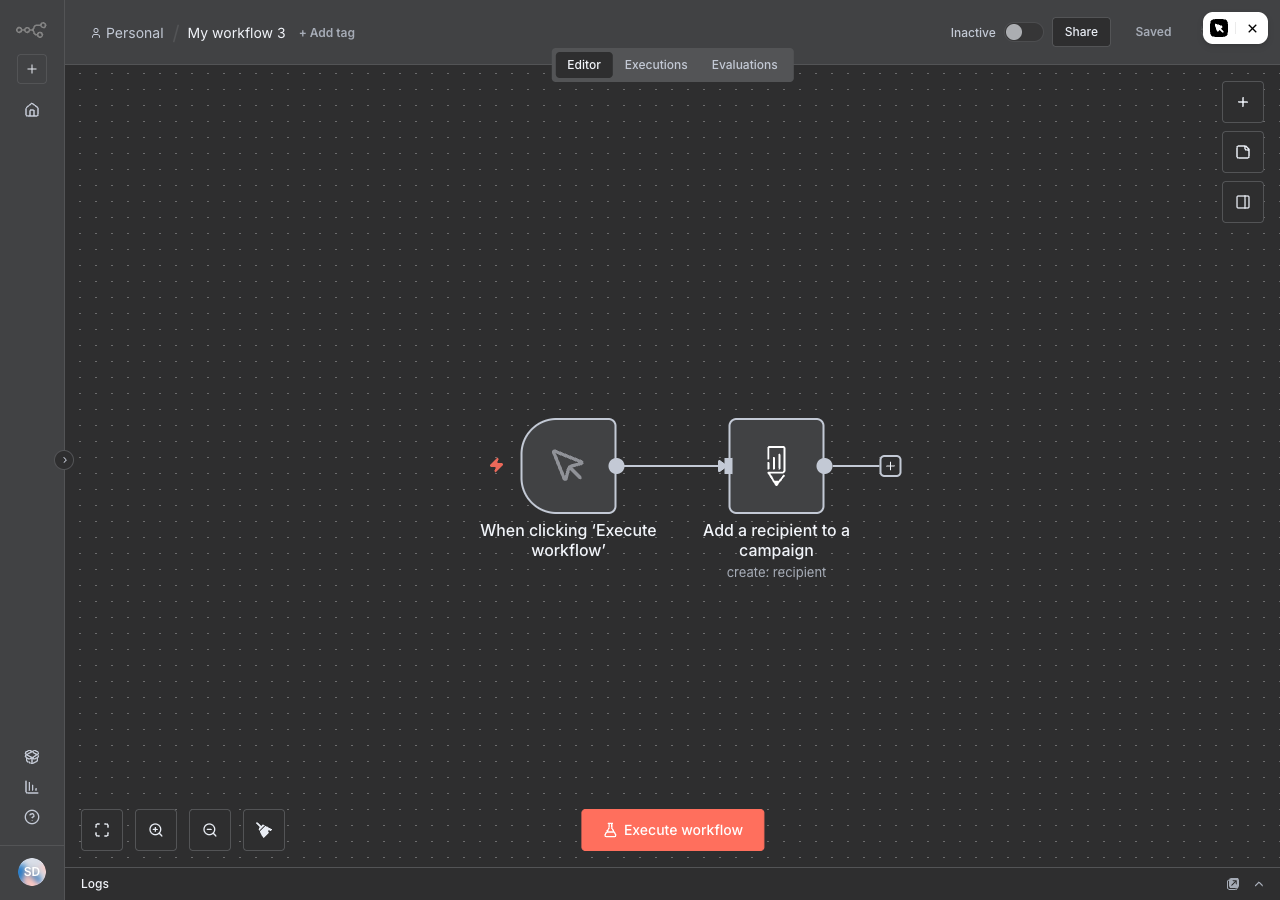
n8n workflow showing a Scribeless Add to Campaign node

Ways to send

Install once, then use Scribeless anywhere n8n can orchestrate data.

The connector is simpler than the CRM apps: it adds a recipient to an existing Scribeless campaign from n8n workflow data. Use n8n for the trigger, mapping, branching, and error handling around that send.

Install path

Install n8n-nodes-scribeless

Instance owners or admins can install the Scribeless package, then builders can add the Scribeless node from the n8n nodes panel.

  • Use package name n8n-nodes-scribeless
  • Install from n8n community nodes or the verified node panel where available
  • Connect Scribeless credentials once for the instance
  • Restart or refresh the instance if your self-hosted setup requires it
Workflow action

Add recipient to campaign

Use the Scribeless node where your workflow already has recipient details, campaign choice, and any template variables.

  • Trigger from webhooks, schedules, CRMs, forms, or data warehouses
  • Map recipient fields from previous n8n nodes
  • Send variables only when the selected Scribeless template needs them
  • Branch failed or incomplete records before they reach Scribeless

How it works

How the Scribeless n8n connector works.

n8n handles orchestration. Scribeless handles the direct mail campaign, template, handwriting, production, and fulfillment.

Installation

Install the package in n8n

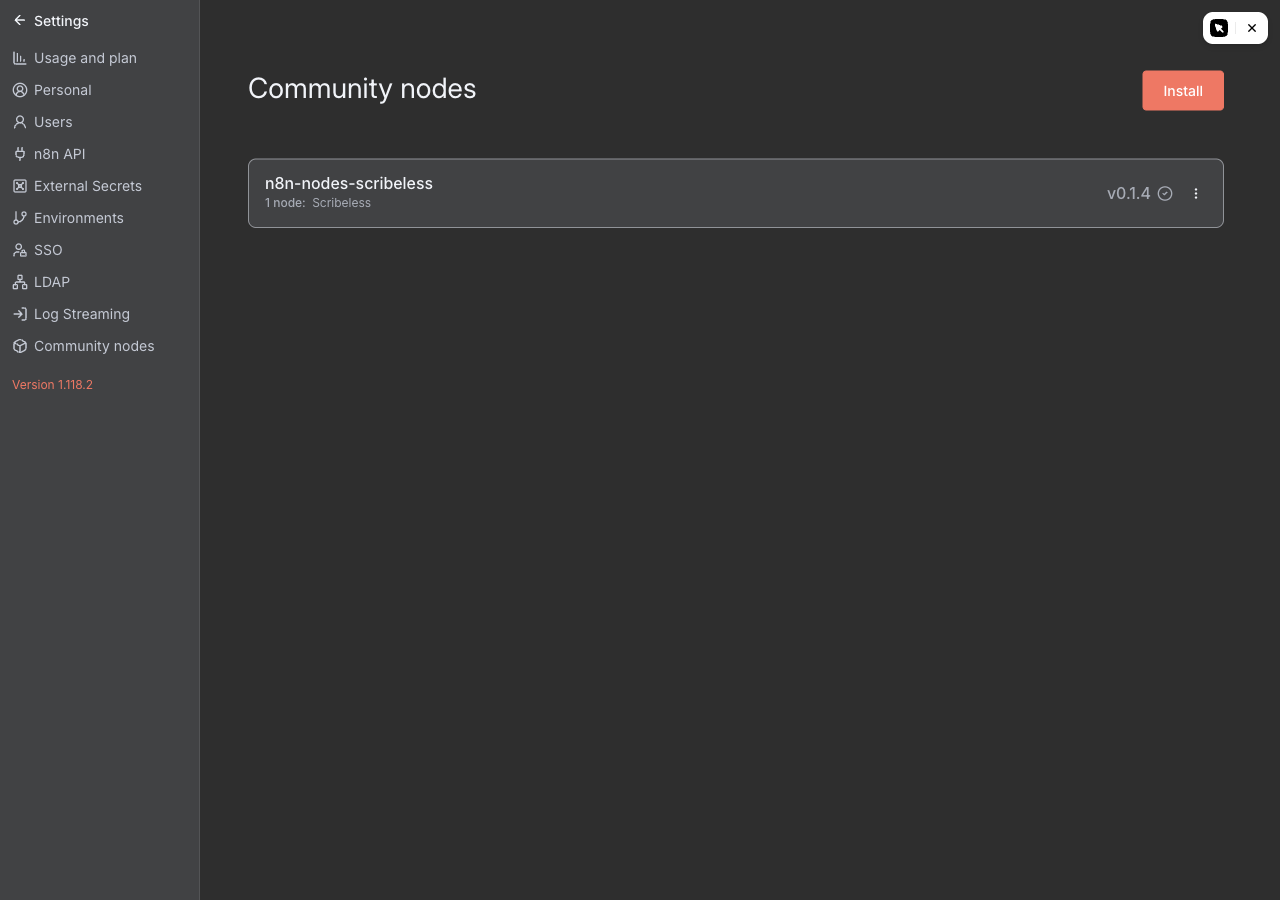
Use n8n-nodes-scribeless as the package name. For verified nodes, install from the nodes panel; for self-hosted community node installs, use Settings > Community Nodes or your instance package-management process.

  • Owner or admin access is required for instance-wide installation
  • The npm package is published at npmjs.com/package/n8n-nodes-scribeless
  • Self-hosted teams can also manage community packages through environment variables
n8n community node install screen showing the Scribeless package installed

Credentials

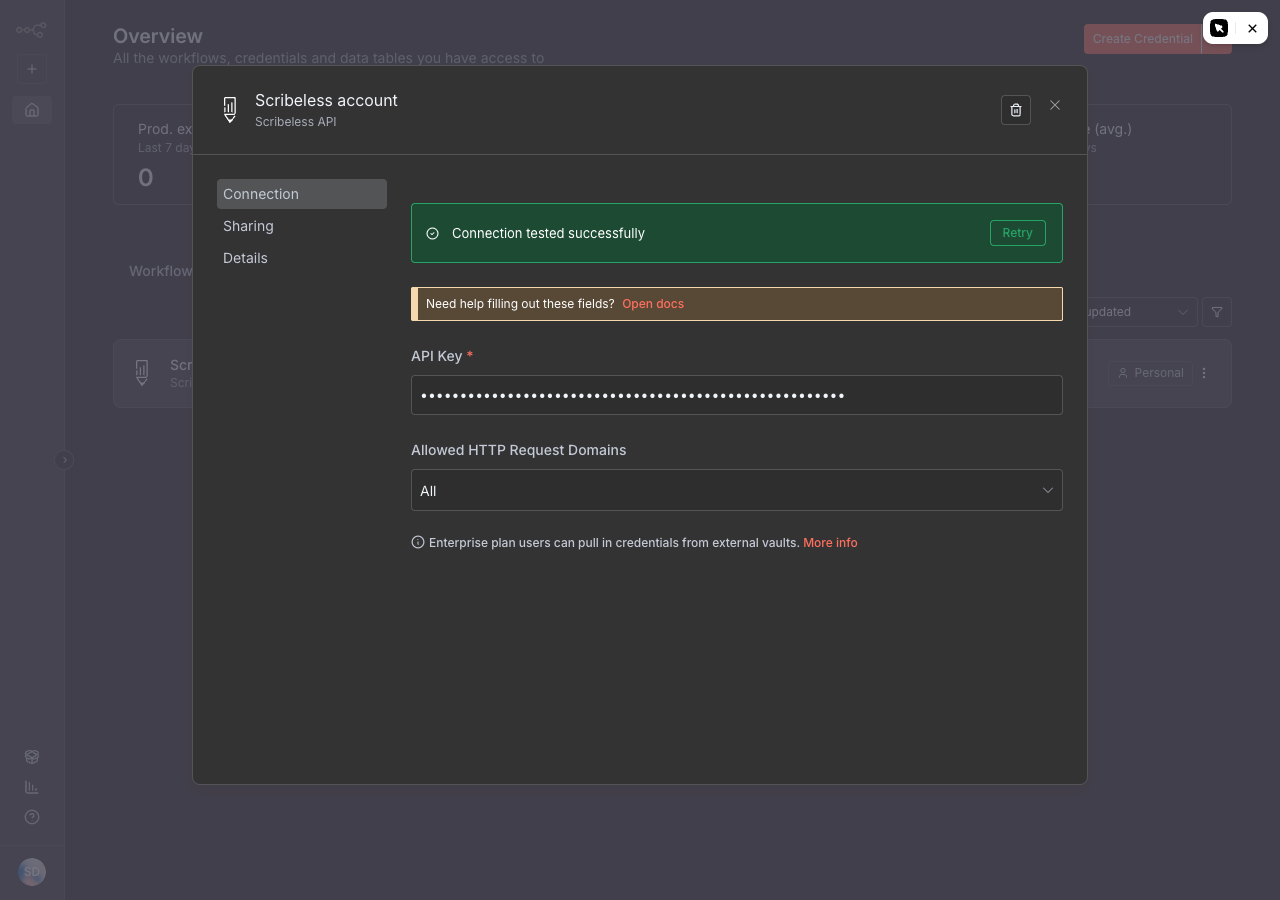
Connect with your Scribeless API key

Store credentials in n8n, then reuse them across workflows so builders do not paste API keys into individual workflow fields.

  • Keep API keys in n8n credentials
  • Limit editable fields to campaign, recipient, and template data
  • Rotate keys when workspace access changes
n8n credential form for Scribeless API access

Workflow canvas

Place Scribeless after the trigger and validation steps

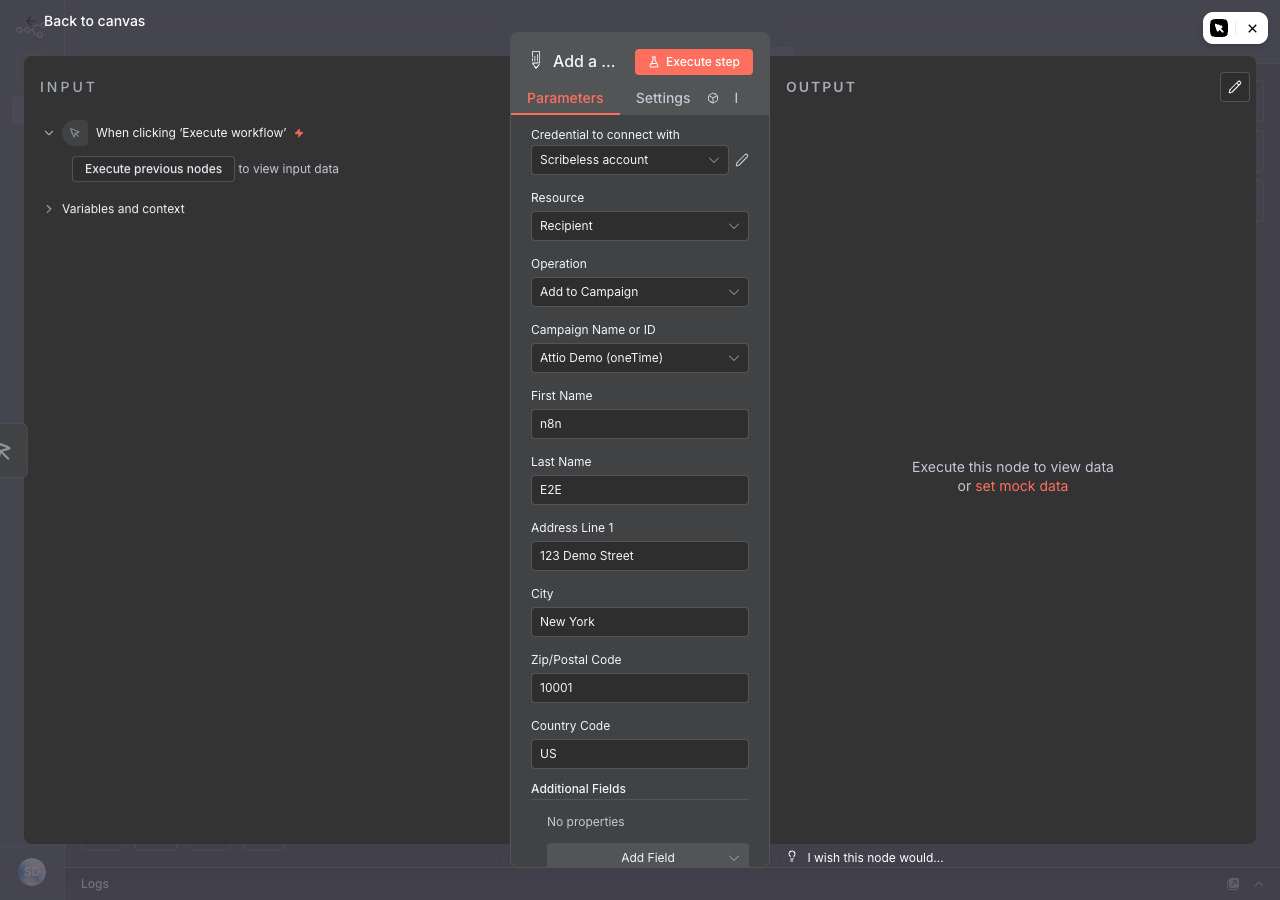
Let n8n collect the signal first, validate required recipient fields, then send a clean payload to Scribeless.

  • Use webhook, schedule, CRM, form, or enrichment nodes upstream
  • Check address completeness before the Scribeless node runs
  • Use IF, Switch, or error branches for missing data
n8n Scribeless node configuration showing mapped recipient fields

Testing

Run one item through n8n before turning it on

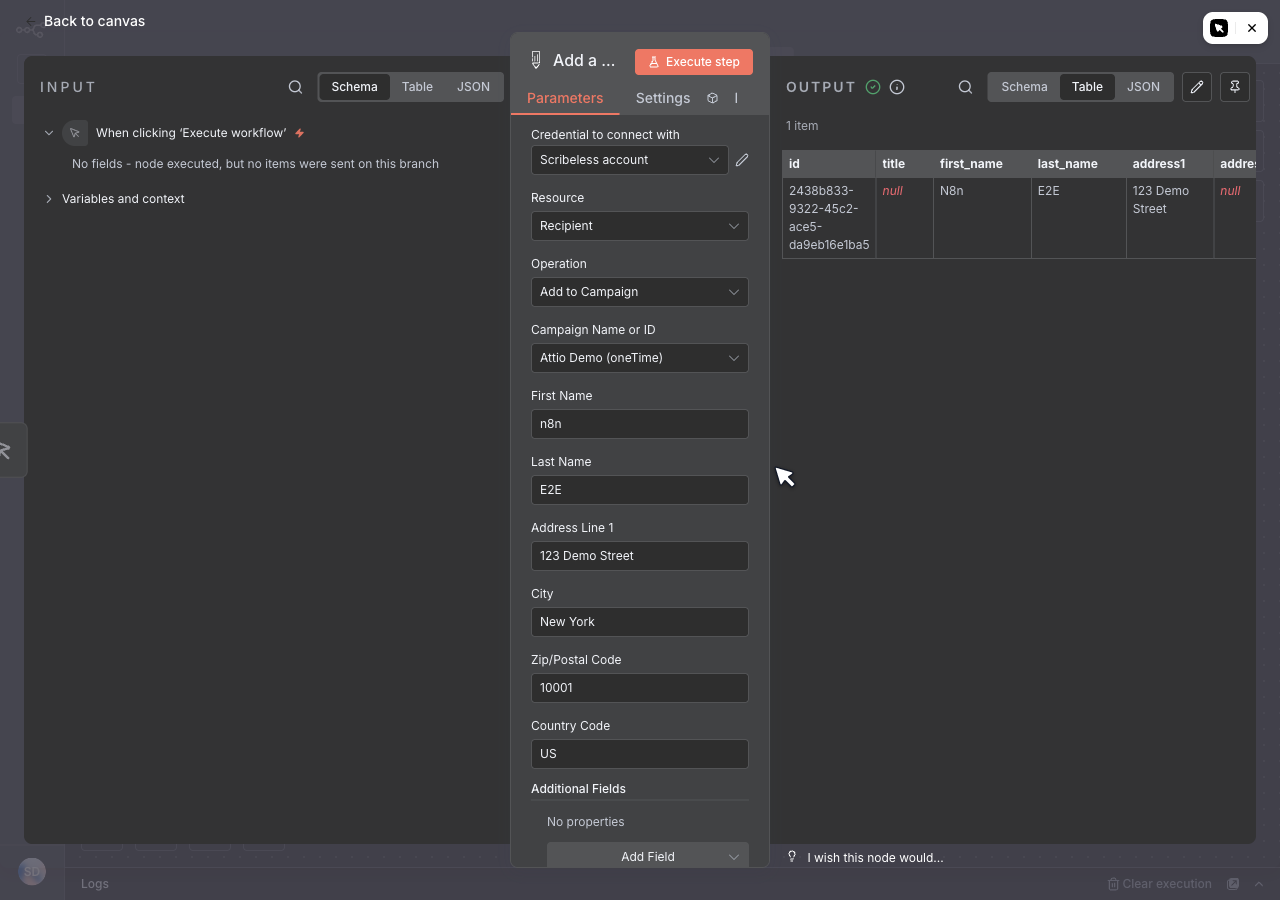
Execute the workflow with one internal recipient, then check the Scribeless node output before activating the workflow.

  • Confirm the created recipient ID is returned by Scribeless
  • Check the selected campaign and mapped fields before a wider send
  • Keep the workflow inactive until error branches and test data look right
n8n execution output showing a successful Scribeless recipient creation

Recipes

Starter n8n workflows

Start with workflows where n8n already has clean recipient data and a clear reason to send a physical touchpoint.

01

Webhook to handwritten note

Receive a webhook from a form, CRM, product event, or internal tool, validate the recipient, then add them to a Scribeless campaign.

02

Scheduled batch send

Run a scheduled workflow that filters eligible records, applies frequency caps, and queues only the recipients that are ready for mail.

03

Cross-tool enrichment

Combine CRM, data warehouse, enrichment, and suppression steps in n8n before sending the final recipient payload to Scribeless.

Tracking loop

Route QR scan events back through n8n.

When a recipient scans a tracked QR code, use n8n to fan that event out to the right downstream systems.

  1. Send Scribeless QR scan webhooks into an n8n webhook trigger.
  2. Match the scan to campaign, recipient, CRM record, or owner where possible.
  3. Branch the workflow by campaign, destination, audience, or account status.
  4. Update the CRM, notify the owner, or trigger a follow-up workflow.

Launch checklist

  • n8n-nodes-scribeless is installed on the instance
  • Scribeless API credentials are stored in n8n credentials
  • Required recipient fields are validated before send
  • Campaign IDs and template variables are mapped deliberately
  • Do-not-mail and frequency rules run before Scribeless
  • Error branches catch incomplete records
  • A single internal test recipient has been sent
  • QR webhook and downstream branches have been tested

Next step

Build n8n workflows that turn automation signals into physical mail.

We can help you choose the first workflow, validate the payload, and connect n8n to the right Scribeless campaign.